VPN passthrough is a router feature that allows VPN traffic to bypass your router's NAT (Network Address Translation) and firewall without being blocked. It doesn't create or encrypt a VPN connection itself. It simply lets traffic that's already encrypted by your VPN app pass through undisturbed. If you've ever had a VPN fail to connect on home Wi Fi but work fine on mobile data, this setting is usually why.
Below, I'll break down exactly how it works, when you actually need it, and how to enable it, step by step.
What Is VPN Passthrough, Really?
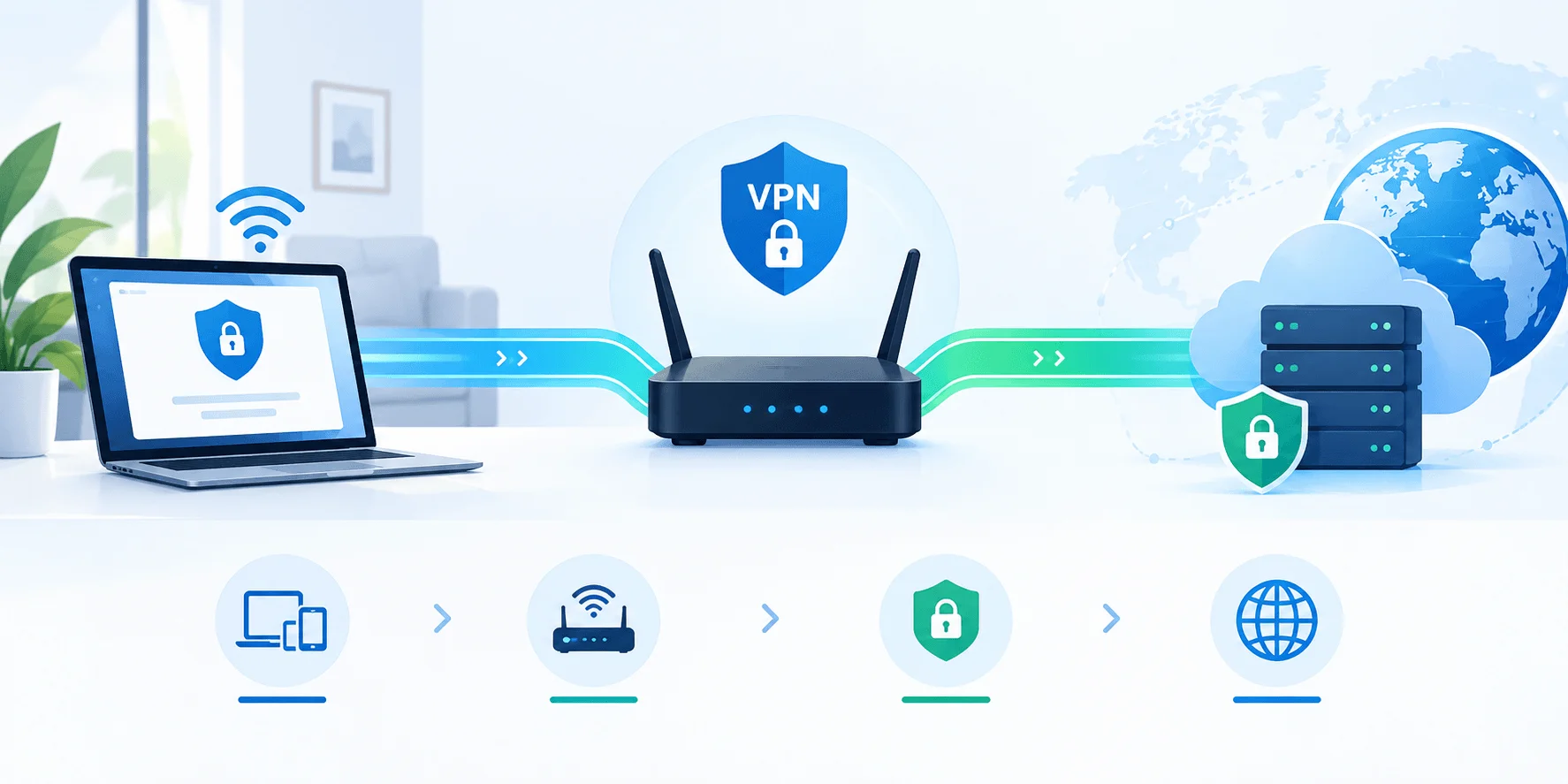
So here's the thing: VPN passthrough sounds way more complicated than it actually is. At its core, it's a router feature that lets VPN traffic move through your router's firewall without getting blocked. It doesn't create a VPN. It doesn't encrypt anything. It just gets out of the way.
Think of your router as a bouncer at a club. Most traffic walks right in. But VPN traffic looks a little different, a little suspicious even, to an older router. Without the right setting flipped on, the bouncer turns it away at the door.
That's the entire job of passthrough. According to NordVPN, a VPN passthrough is a router setting that helps the device recognize data packets associated with your VPN service, allowing them to pass through the firewall, kind of like flashing an ID card that says "I'm allowed to be here."
And here's the part that trips people up: passthrough doesn't establish your VPN connection. Your actual VPN connection is created between your device and your VPN provider's server. Passthrough just makes sure that connection isn't blocked along the way.
Why Does VPN Passthrough Even Exist?
I'll be honest, the first time I ran into this issue, I assumed my VPN app was broken. It wasn't. The real problem lives deeper in your network, in something called NAT.
The NAT Problem, Explained Simply
Your home has one public IP address. But you've probably got a dozen devices connected to your Wi Fi. So how does the internet know which device gets which piece of data?
That's NAT's job. NAT maps all your private, internal IP addresses to that one public IP address so everything can share a single internet connection.
Normally, this works flawlessly. But older VPN protocols, PPTP, L2TP, and IPsec, weren't built with NAT in mind. As Check Point explains, these protocols encrypt the connection in a way that prevents NAT from working properly, so traffic simply isn't able to pass through.
The result? Your router gets confused. Instead of creating an encrypted tunnel, it blocks the packets and sends them right back where they came from.
That's exactly the gap VPN passthrough fills.
How Does VPN Passthrough Actually Work?
When your device sends VPN traffic, your router inspects those packets. With passthrough enabled, it recognizes them as part of a legitimate outgoing connection instead of flagging them as a threat, then forwards the encrypted packets straight to your VPN server instead of dropping them.
Without passthrough? Those same packets get blocked and rejected, which is exactly why a VPN can work on mobile data but fail on home Wi Fi.
VPN Passthrough vs. VPN Router: Don't Confuse These
This is the most common mix up I see, so let's settle it with a direct comparison.
VPN Passthrough | VPN Router | |
|---|---|---|
What it does | Lets existing VPN traffic pass through unblocked | Runs the VPN client/server itself |
Encryption | Doesn't encrypt anything itself | Encrypts traffic for every connected device |
Setup required | One toggle in router settings | Full VPN configuration on the router |
Coverage | Only the device already running the VPN | All devices on the network, automatically |
Best for | Quick fixes for legacy protocol connection issues | Whole home or whole office VPN protection |
One more nuance: as TP-Link clarifies, VPN Passthrough does not mean your router can create a VPN endpoint. It only allows traffic created by other endpoints to move through it.
If you're routing only some of your traffic through a VPN rather than all of it, that's a related concept worth knowing too. Check out our guide on VPN split tunneling for how that works.
The Three Types of VPN Passthrough
VPN passthrough is actually an umbrella term covering three legacy protocols, each with different behavior.
1. PPTP Passthrough
PPTP (Point to Point Tunneling Protocol) is one of the oldest VPN protocols still around. It's fast, but considered weak by modern security standards.
2. L2TP Passthrough
L2TP uses double data encapsulation, meaning your data gets wrapped twice. That adds security but can slow things down and sometimes needs extra router configuration. NordVPN notes it's also considered an outdated protocol today.
3. IPsec Passthrough
IPsec passthrough is used to encrypt data before it travels across your network, often paired with L2TP ("L2TP/IPsec"), and is common in business VPN setups. IPsec relies on encryption principles similar to those behind an SSL certificate chain, if you want to go deeper on how encrypted trust works online. For a full breakdown of how ESP, AH and IKEv2 fit together, read our IPsec VPN guide.
Protocol Comparison: Legacy vs. Modern
Here's a quick side by side to put things in perspective:
Protocol | Needs Passthrough? | NAT Compatible? | Security Status | Common Use |
|---|---|---|---|---|
PPTP | Yes | No | Weak, largely deprecated | Legacy systems |
L2TP/IPsec | Yes | No | Moderate, outdated | Business VPNs |
IPsec | Yes | No | Moderate | Site to site VPNs |
OpenVPN | No | Yes | Strong | General consumer/business use |
IKEv2 | No | Yes | Strong | Mobile devices |
WireGuard | No | Yes | Strong, modern | Most current VPN apps |
Do You Actually Still Need VPN Passthrough?
For most people, the honest answer is probably not, and here's why.
Modern VPN protocols were designed from the ground up to play nice with NAT. WireGuard, in particular, has become the industry default: NordVPN runs NordLynx (a custom WireGuard implementation), ExpressVPN runs Lightway (independently audited), and Surfshark and Proton VPN both support WireGuard directly alongside OpenVPN. None of these need passthrough to function.
That said, passthrough still matters if:
You're setting up an older site to site VPN for business use
You're working with legacy hardware or older company infrastructure
Your VPN client specifically relies on IPsec, L2TP, or PPTP
How to Check and Enable VPN Passthrough (Step by Step)
Step 1: Log into your router's admin panel.
Type your router's IP address into a browser, usually 192.168.1.1 or 192.168.0.1. Login details are often printed on a sticker on the router itself.
Step 2: Navigate to the VPN or Advanced Settings section.
This varies by brand, but look for a tab labeled "VPN," "Advanced," or "Security."
Step 3: Locate the Passthrough options.
You should see toggles for PPTP Passthrough, L2TP Passthrough, and IPsec (ESP) Passthrough.
Step 4: Enable the protocol you need.
Turn on the toggle for whichever protocol your VPN service uses. Check your provider's documentation if you're unsure.
Step 5: Save and reboot your router.
This step gets skipped constantly, and it's usually why "fixes" don't seem to work.
Step 6: Reconnect your VPN and test.
If it connects cleanly now, you've found your fix.
A quick caution: changing router settings can affect your network's overall security, so only tweak what you understand, and revert to defaults once you're done troubleshooting. While you're in your router settings, it's also a good time to change your Wi Fi password if you haven't recently.
Common Signs You Might Need VPN Passthrough
Your VPN works on mobile data but fails on home Wi Fi
You get timeout errors specifically when connecting through your router
Your VPN uses PPTP, L2TP, or IPsec
Other devices on the same network hit the same issue
If your connection issues seem more about weak signal than blocked traffic, it might be worth ruling out general Wi Fi problems first. See our guides on improving your Wi Fi signal and changing your Wi Fi channel.
Frequently Asked Questions
Is VPN passthrough the same as a VPN?
No. A VPN encrypts your traffic; VPN passthrough just lets that already encrypted traffic move through your router without being blocked.
Do I need VPN passthrough if I use WireGuard or OpenVPN?
No. These modern protocols are NAT compatible by design and don't require passthrough to work.
Is VPN passthrough a security risk?
Not inherently. It only allows legitimate encrypted VPN traffic through. It doesn't open new vulnerabilities on its own, as long as your router firmware stays updated.
Why does my VPN work on mobile data but not Wi Fi?
This is the classic symptom of a missing passthrough setting, since your router's NAT and firewall are what's interfering, not your mobile connection.
Does every router support VPN passthrough?
Most modern routers do, and it's usually enabled by default. Only very old routers may lack it entirely.
Wrapping It Up
VPN passthrough is a small but genuinely important router feature. It doesn't create your VPN connection or encrypt your data, but it makes sure the encrypted traffic your VPN app generates isn't mistakenly blocked by your router's firewall or tangled up in NAT.
If you're running a modern protocol like WireGuard or OpenVPN, you likely won't ever need to touch this setting. But if you're dealing with older infrastructure, a business site to site VPN, or legacy protocols like PPTP or IPsec, knowing how to find and enable passthrough can save you hours of troubleshooting.