The best Seagate external hard drive depends on where you use it. Choose the Seagate Portable for travel, the Seagate One Touch (8TB from $259.99, bus powered USB-C) for your desk, or the FireCuda X Vault for gaming. Whichever you pick, keep a second backup copy.
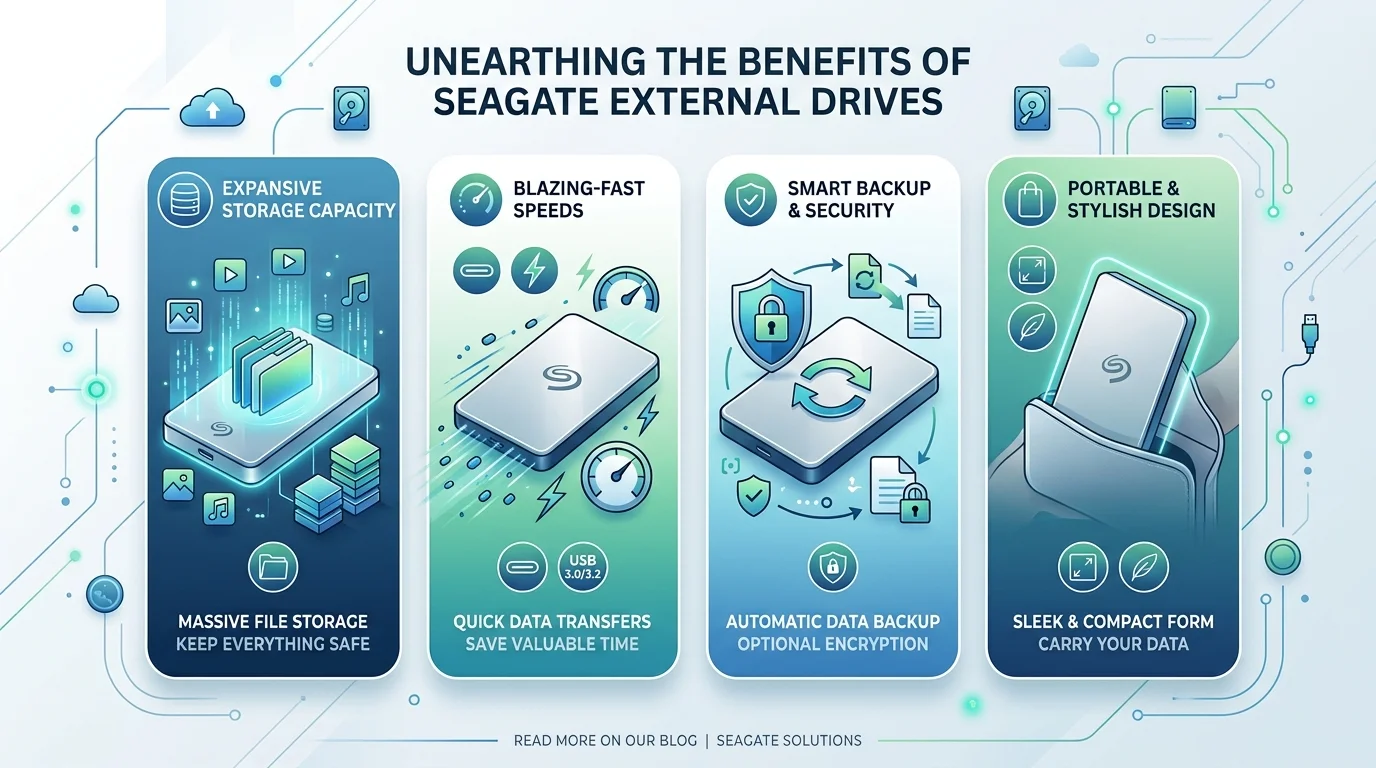
What Is the Best Seagate External Hard Drive Right Now?
I'll keep this simple.
Seagate sells plenty of drives, but only three choices matter. You need to decide where you'll use it, how much storage capacity you need, and how much data protection you want. I'll give you the short answer first, then the proof. That way, you can skip ahead if you're in a hurry.
Travel and everyday backup: Seagate Portable
Desk backup and big libraries: Seagate One Touch Desktop
Gaming and streaming: FireCuda X Vault
Pro editing and RAID: LaCie 8big Pro5
Not sure how much space you need? Our guide on how many GB are in a TB clears up the maths in two minutes.
Seagate External Hard Drive Comparison Table (2026)
Numbers beat opinions, so here they are side by side.
I pulled capacity options, connection type and starting price from Seagate's own April 2026 announcement and independent roundups. Prices change often, so check the retailer before you buy.
Model | Best for | Capacity | Connection | Starting price |
|---|---|---|---|---|
Seagate Portable | Travel, everyday backup | 1TB to 5TB (retail listings) | USB 3.0 | Varies by retailer |
Seagate One Touch Desktop | Home and office backup | 8TB, 20TB, 24TB | Bus powered USB-C | $259.99 (8TB) |
FireCuda X Vault | Gaming, streaming | 8TB, 20TB | Bus powered USB-C | $269.99 |
Seagate Expansion Desktop | Cheapest big capacity | 8TB, 16TB (roundups) | USB 3.0, power adapter | Varies by retailer |
LaCie 8big Pro5 | Pro RAID storage | 32TB to 256TB | Hot swap bays | $5,979 |
Which Seagate Drive Fits You: Portable or Desktop?
Picking the wrong form factor is the classic mistake.
A slim drive is lovely until your library outgrows it. A desktop drive is brilliant until you need it on a train. So answer one question first: does this drive travel with you? Once you know, the rest of the decision gets almost embarrassingly easy.
Seagate Portable: Best for Travel and Students
If you're always on the move, a portable hard drive is your friend.
It's light, pocketable and plug and play with Windows and Mac. TechGearLab's Seagate Portable review gave it both its Editors Choice and Best Buy awards.
There's one catch. It isn't rugged, so keep it away from water and hard knocks.
Editing video on the road? Pair it with one of the best laptops for video editing and offload your footage as you shoot.
Seagate One Touch and Expansion: Best for Desk Backup
When your photos and videos pile up, go desktop. A 3.5 inch desktop hard drive gives you the most terabytes per dollar.
The One Touch uses a single USB-C cable for power and data, and it comes with Seagate Toolkit, auto backup software and Rescue Data Recovery Services. PCWorld tested a 16TB Expansion Desktop at close to 280MBps. The catch is that the Expansion needs an external power adapter, which keeps it at your desk.
LaCie 8big Pro5: Best for Pro Workflows
If you edit 4K footage or manage huge archives, a single drive won't cut it. The LaCie 8big Pro5 is a multi bay unit built for that job. Before you spend $5,979, read what a RAID array is so you know how it protects your data and where it doesn't.
Are Seagate External Hard Drives Reliable?
Let's be honest about this one.
Nobody wants a drive that dies the day you trust it. The best public evidence comes from Backblaze, which tracks hundreds of thousands of drives. But those are data center drives, not the exact external models above. So treat the numbers as a drive reliability signal, not a guarantee.
Backblaze's 2025 annualized failure rate was 1.36%.
The Q1 2026 report showed 1.24%, and the Q2 2026 report shows 1.73%.
Some Seagate models did very well. The ST8000NM000A had zero failures among 247 drives in 2025.
Other models struggled. The ST10000NM0086 posted a 4.63% failure rate in Q1 2026.
So failure rate varies by model. That's why I keep a second copy of anything irreplaceable. You can browse the free Drive Stats dataset yourself.
If a drive does fail or you delete something by accident, don't panic. Our walkthrough on how to recover deleted files shows what to try first.
How to Buy and Set Up Your Seagate Drive: Step by Step
Buying a drive shouldn't feel like filing taxes.
Follow these six steps in order, and you'll dodge the usual errors: too little space, the wrong cable, and a backup you never schedule. It takes about ten minutes. Maybe fifteen, if you overthink it like I do.
Choose portable or desktop. Travel often? Go portable. Mostly at a desk? Go desktop.
Pick your capacity. Add up your files, then double the total.
Check your ports. Got USB-C? The One Touch fits neatly.
Buy from the Seagate Store or authorized partners. That avoids fakes.
Install Seagate Toolkit. Turn on automatic backup today, not someday.
Keep a second copy. Follow the 3-2-1 backup rule for your most precious files. A cloud copy works well here, and our cloud storage comparison and best photo backup solutions can help you choose one.
Seagate External Hard Drive FAQs
You probably still have a few questions. These are the ones I hear most, so here are quick, honest answers you can scan.
Is Seagate a good brand for an external hard drive?
Yes. Seagate drives earn awards and strong value reviews, and Backblaze data shows several Seagate models with very low failure rates. Reliability does vary by model, though, so back up your files twice.
Should I buy an HDD or an SSD?
Choose an HDD for cheap, large capacity. Choose an SSD for speed and rugged travel. One 2026 roundup rates the Samsung T7 SSD at 1,050 MB/s, which is far faster than a spinning drive.
Should I use an external drive or cloud storage?
Use both if you can. A drive gives you one time pricing and fast local restores. The cloud protects you from fire, theft and flood. Check free cloud storage plans in 2026 to start at no cost.
Does Seagate include data recovery?
The One Touch includes Rescue Data Recovery Services, according to Seagate. Some Portable models list a one year Rescue service. Confirm this on the product page before you buy.
Can I use a Seagate drive with PlayStation or Xbox?
Yes. Retail listings for the Seagate Portable show PlayStation and Xbox compatibility.
How much capacity do I need?
Add up your current files and double the total. For most people, 2TB to 5TB covers a portable drive, and 8TB or more suits desktop libraries.
Final Verdict: Should You Buy a Seagate External Hard Drive?
Here's my honest take.
If you want affordable storage, simple setup and big capacity, a Seagate drive is hard to beat. You skip subscription fees. You get plug and play ease. And with the One Touch, you get data recovery support in the box.
Most people should grab the Seagate Portable. If you've got a mountain of files, the One Touch gives you room to breathe.
Don't wait for the day your laptop fails.
Pick your model, schedule your backup, and add a second copy. Your future self will thank you.