A Gemini AI photo prompt is a text instruction you type into Google Gemini to transform, restyle, or generate a photo using its Nano Banana image model. You describe the result you want in plain language, and Gemini builds it, no editing software required. This guide breaks down the exact prompt formula, six-step process, and the trending prompt categories worth trying in 2026.
I want to walk you through everything, from what makes a prompt actually work, to real examples you can copy and paste today. Grab a coffee. Let's get into it.
If you're new to AI photo editing in general, check out our beginner's guide to AI image prompts before diving into Gemini specifically.
Why Gemini AI Photo Prompts Went Viral
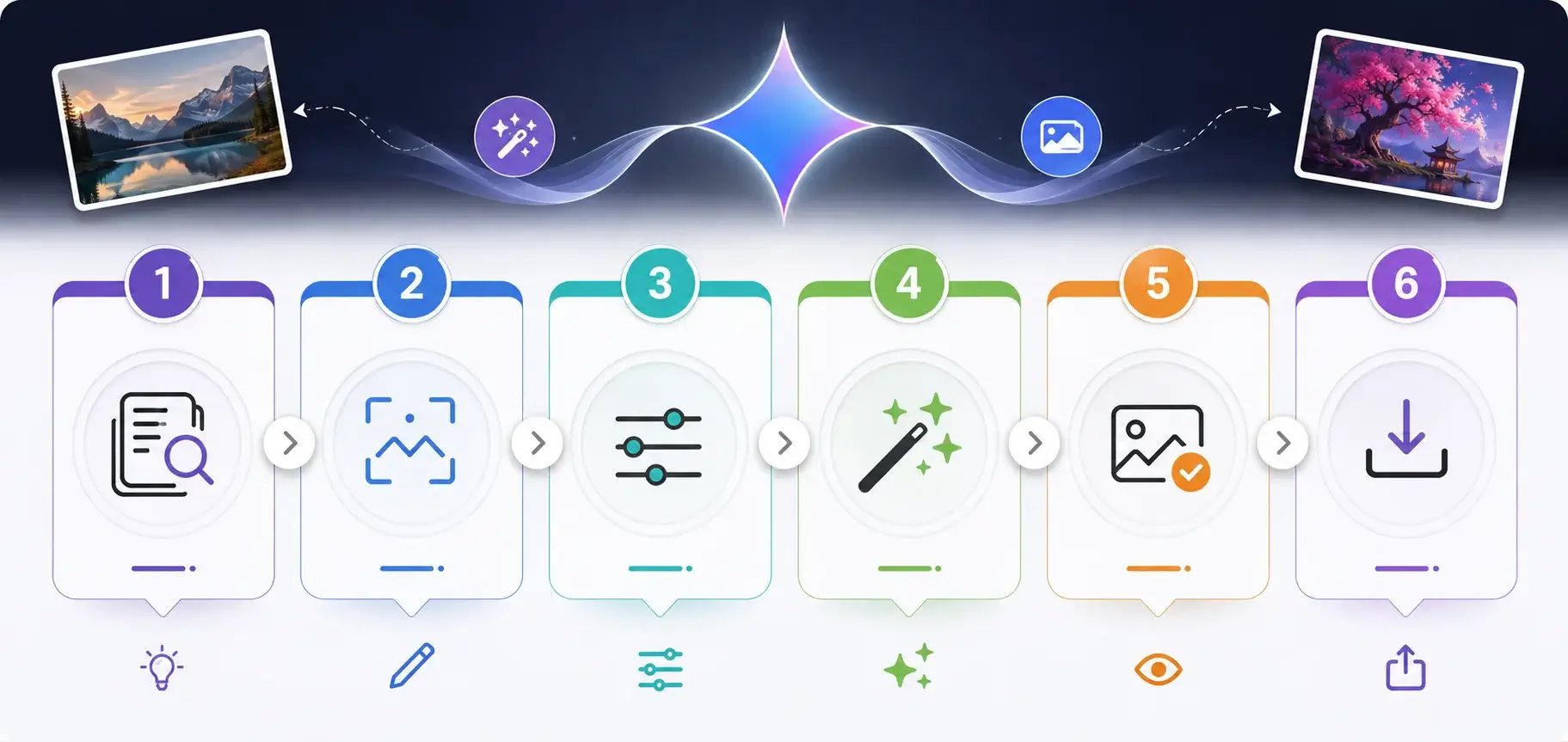
Gemini turned photo editing into a conversation instead of a chore, and that's exactly why this topic exploded in 2025 and 2026.
You've probably seen it already. Someone's selfie turned into a boxed action figure. A friend's photo reimagined as a 90s Bollywood movie poster. A pet turned into a tiny desk figurine sitting next to birthday presents.
Why does this keep happening? Three reasons.
It's personal. The output still looks like you, just reimagined.
It's instant. No editing software, no learning curve.
It's shareable by design. If you're building out a broader social media content strategy, AI-generated photos like these are an easy way to keep your visual content fresh without a studio shoot.
There's also a quieter counter-trend happening. People got tired of the "too perfect" AI look. TechRepublic's Abdullahi notes that after two years of feeds flooded with suspiciously smooth AI images, audiences developed a sharp nose for synthetic perfection. So some of the most popular Gemini prompts now intentionally add flaws back in, like grain, light leaks, and soft blur, to make a photo feel like a real aged memory instead of a digital file.
Funny how that works. We spent years removing imperfections, and now we're asking AI to add them back.
If you want to see how this compares to other tools, our Gemini vs Midjourney vs ChatGPT image comparison breaks down the differences in more depth.
The Anatomy of a Great Gemini AI Photo Prompt
Every strong AI photo editing prompt follows a repeatable formula, not a random sentence. Content strategist and prompt writer at AI Art Revolution breaks this down into four building blocks, and it's the clearest framework I've come across.
Element | What It Controls | Example Phrase |
|---|---|---|
Subject | Who/what stays unchanged | "Keep my face, complexion, and identity exactly the same" |
Clothing & Accessories | The outfit and materials | "Sheer, flowing red chiffon saree with embroidered border" |
Background & Environment | The scene and mood | "Standing on a beach at sunset" |
Lighting & Atmosphere | Realism and cinematic feel | "Warm, golden light backlighting the subject" |
1. Subject (Who or What)
Start by identifying the subject clearly. Be specific about what should stay unchanged, especially the face.
2. Clothing & Accessories
Describe the outfit in real detail: fabric, color, style, texture. Detail beats a single generic noun every time.
3. Background & Environment
This sets the whole mood. A snowy mountain reads completely differently than a neon-lit city street or a cozy coffee shop.
4. Lighting & Atmosphere
This is the part most people skip, and it's the part that separates an amateur result from a cinematic AI portrait. Name the lighting specifically: golden hour, moody studio light, warm ambient glow.
Read Also: Best Photo Backup Solutions in 2026: Top Picks
Step-by-Step: How to Write Your Own Gemini AI Photo Prompt
Here's how to build one, step by step.
Step 1: Upload a clear photo. Front-facing, good lighting, minimal background clutter. A blurry input photo gives Gemini less to preserve.
Step 2: Decide your style category. Pick a lane: cinematic, retro film, 3D figurine, fantasy, or professional headshot. Don't combine five styles in one prompt.
Step 3: Describe the subject and what must stay the same. Always include a line like "keep my face, complexion, and identity unchanged." Gemini generates a new image based on your photo and description rather than editing pixels directly, so without that instruction, it can shift facial proportions or expression while applying everything else.
Step 4: Add clothing, background, and lighting details. Use the four-part formula above. Specific beats vague, every time.
Step 5: Add texture or mood words. Words like "film grain," "soft blur," or "light leak" tell Gemini to build a physical object that has aged, rather than applying a flat filter on top.
Step 6: Generate, then refine. If the first result misses the mark, don't start over. Tell Gemini exactly what to adjust, like "make the lighting warmer" or "reduce the blur on the face."
Trending Gemini AI Photo Prompt Categories in 2026
Trends shift fast in this space, so here's what's actually popular right now.
Trend | Best For | Origin |
|---|---|---|
3D Figurine/Collectible | Fun, shareable Instagram Reels | Started August 2025 |
Saree/Bollywood Portrait | Cinematic, festive photos | Started September 2025 |
Retro Film Grain | Nostalgic, "imperfect" aesthetic | Trending through 2026 |
Hyper-Realistic Statue | Bold, attention-grabbing edits | September 2025 viral list |
New Year/Seasonal | Holiday and event-specific content | Recurs seasonally |
3D Figurine and Collectible Prompts
You turn your photo into a 3D collectible figurine, standing on a display base inside clear packaging, like an action figure box. According to AI Academy's prompt collection, the trick is adding small personal accessories beside the figure, like a tiny laptop or coffee cup, so the box tells your story instead of looking generic.
Saree and Bollywood-Style Portraits
The AI saree prompt trend turns selfies into glamorous, cinematic Bollywood-style portraits. Journalist Sonika Nitin Nimje at Business Standard documented this as one of the first big Nano Banana breakout moments in September 2025, and per Tenorshare's trend timeline, it followed directly on the heels of the 3D figurine wave the month before.
Retro Film and Intentional Imperfection
This is the anti-perfection wave. A prompt like "age this photo like an old 35mm film shot from the 70s, with soft grain, slight blur at the edges, and a faint orange light leak" produces something that feels like a real physical memory rather than an app filter.
Statue and Hyper-Realistic Portraits
Turning yourself into a hyper-realistic statue is another category from Business Standard's original prompt roundup, built to look like a huge, museum-style statue based on your actual likeness.
New Year and Seasonal Prompts
Seasonal prompts spike hard around specific dates. Around New Year's, prompts featuring glowing "2026" numerals, fireworks, and countdown scenes trend heavily, according to Filmora's roundup of viral New Year Gemini prompts.
If you manage a brand or personal account on Instagram, pairing these edits with the right Instagram tools can help you schedule and optimize when these seasonal posts go live.
Common Mistakes People Make With Gemini AI Photo Prompts
You'll want to avoid these. The same handful of mistakes show up over and over across prompt guides.
Being too vague. "Make me look cool" gives Gemini nothing to work with.
Forgetting the identity-preservation line. Skip it, and your face can shift more than you'd expect.
Overloading one prompt with too many styles. Pick one aesthetic and commit.
Ignoring lighting. Often the single biggest difference between flat and cinematic results.
Not iterating. Your first result doesn't have to be final. Refine it instead of starting over.
Gemini vs Other AI Image Tools
A well-structured Gemini prompt often works on other platforms too. Per ImagePromptLab's prompt library, the structure of a good prompt (subject, style, lighting, mood, and detail) follows universal principles that any AI image tool understands, whether that's Gemini, ChatGPT's image generation, Midjourney, or Adobe Firefly.
Gemini's specific edge right now is conversational refinement. You can chat back and forth to adjust a result, which feels more natural than restarting a fresh prompt every time. See our full tool-by-tool breakdown if you're deciding which platform fits your workflow.
Frequently Asked Questions
What is a Gemini AI photo prompt?
It's a written instruction you give Google Gemini to transform, restyle, or generate an image based on an uploaded photo, describing subject, style, lighting, and mood in detail.
Do Gemini AI photo prompts keep my face the same?
Only if you tell it to. Always include a line asking Gemini to preserve your face, complexion, and identity, since it generates a new image rather than editing pixels directly.
Are there daily limits on Gemini image generation?
Limits depend on your Google account plan. Check Google's official Gemini help documentation for the current quota tied to your specific plan, since third-party estimates vary and change often.
What's the most popular Gemini photo prompt trend right now?
3D figurine edits and saree-style portraits remain two of the most consistently viral categories, alongside retro film-grain edits and seasonal prompts tied to holidays.
Can I use the same prompt structure on ChatGPT or Midjourney?
Yes. The core formula (subject, style, background, lighting, mood) works across most AI image generators, since it's clear creative direction rather than a Gemini-specific trick.
Final Thoughts
A great Gemini AI photo prompt isn't about knowing secret code words. It's about being specific, thinking like a photographer, and always protecting the one thing that matters most: your actual identity in the photo.
Start with the four-part formula: subject, clothing, background, lighting. Add texture words if you want that lived-in, imperfect look. Iterate instead of restarting.
Try one prompt today. See what comes back. Then adjust it and go again.
Want more ready-to-use ideas? Browse our full Gemini prompt library for dozens of tested examples across every style.
If AI-edited photos are becoming part of your regular posting routine, it's worth reading how to be a content creator for the bigger picture on turning this kind of content into consistent growth.
Read Also: What Is Prompt Engineering? A No-BS Guide for 2026