Target company URL research is the process of identifying, verifying, and documenting the exact website that belongs to a specific organization — not just any site that happens to mention its name. In this guide, I'll walk you through a step-by-step system for finding the correct official company website, verifying it with real evidence, and avoiding the mismatches that quietly wreck CRMs, sales pipelines, and marketing campaigns.
You've been there.
You type a company name into Google. You click the first result. You assume it's correct.
Then, three weeks later, your sales rep is emailing the wrong domain, your CRM has a duplicate record, and nobody can figure out why.
Here's the truth: target company URL research is not "Google it and copy the link." It's a real skill. And honestly? Most people are doing it wrong.
I wrote this guide to fix that.
By the end, you'll know exactly how to find, verify, and document the correct company website — every single time, whether you're doing B2B sales, lead generation, account-based marketing, or CRM enrichment.
Let's get into it.
What Is Target Company URL Research (And Why It's Not About Target Corporation)
Quick clarification before we go further, because this is exactly the kind of ambiguity that confuses both readers and search engines.
When people search "target company url research," a chunk of them are actually confused. Are we talking about Target Corporation, the retail giant? Or are we talking about researching a target company — meaning any business you're trying to investigate?
It's the second one.
In this context, "target company" simply means the organization on your prospect list, your vendor list, or your research list. Target Corporation runs its own corporate presence at corporate.target.com — that's a completely different thing, and if you landed here looking for that, this isn't your article.
So here's the working definition again, worth repeating:
Target company URL research means identifying, verifying, and documenting the website that actually belongs to a specific organization.
Simple concept. Surprisingly easy to mess up.
Why Target Company URL Research Is Harder Than It Looks
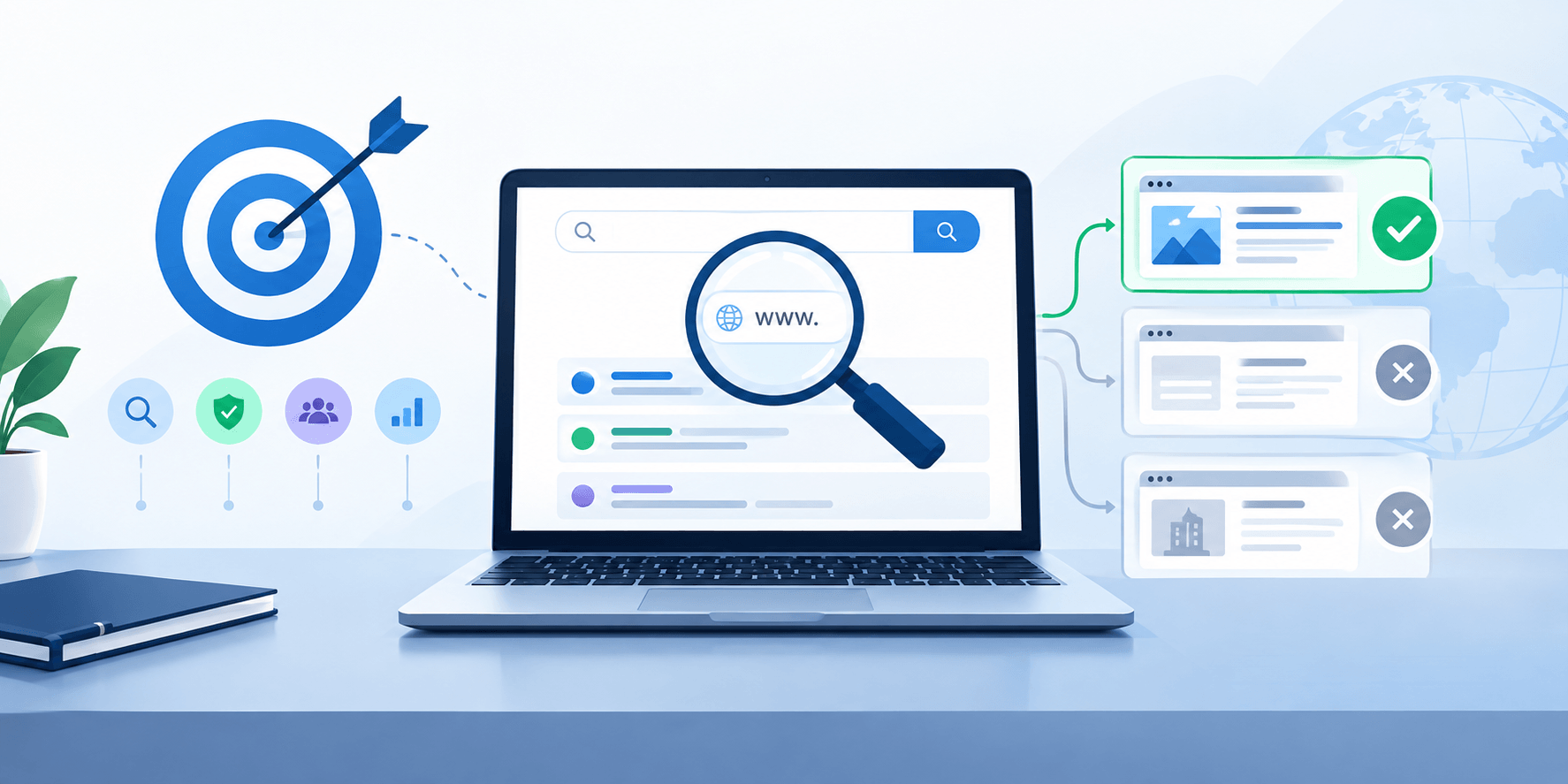
I know what you're thinking. "It's just a website. How hard can it be?"
Pretty hard, actually. According to Pipedrive's research on B2B sales behavior, nearly half of sales and marketing professionals say they regularly or usually struggle just to find enough qualified prospects — and that's before you factor in whether the domains they've found are even correct.
Company names are not unique. You could have five different "Summit Solutions" companies operating in five different countries, in five completely unrelated industries. Add in mergers, rebrands, subsidiaries, holding companies, and expired domains still sitting in Google's index — and you've got a genuine research problem.
Here's what typically trips people up:
Similar business names across regions
Brand names that don't match the legal entity
Old domains that still rank in search results
Subsidiaries with their own separate websites
Franchise networks using different URLs per location
If you grab the wrong one, the damage doesn't stop there. It spreads. Wrong contact data. Wrong revenue estimates. Wrong everything, all because of one bad click at the start.
That's why you need a system — not a guess.
Step 1: Start With the Exact Company Name (Don't Shortcut This)
Okay, let's get tactical.
Your first move is to preserve the company name exactly as it was given to you. Don't clean it up yet. Don't strip the legal suffix. Just write it down as-is.
Then create a second, "search-friendly" version.
For example:
Original: BrightWave Technologies LLC
Normalized: BrightWave Technologies
Legal suffixes like LLC, Inc., Ltd., GmbH, or Pvt Ltd can actually become powerful verification signals later. Don't throw them away — you'll want them when you're cross-checking against a government registry.
Step 2: Collect Every Identifier You Can Find
Here's something most guides skip.
A name alone rarely gets you to the right website. You need supporting identifiers — think of them as puzzle pieces.
Grab whatever you already have:
Country and city
Industry
Known employee name
LinkedIn company URL
Email domain
Phone number
Parent company name
Legal Entity Identifier (LEI), if it exists
The more of these you collect upfront, the less guessing you'll do later. Trust me on this one.
Step 3: Search Smart for Target Company URLs, Not Fast
Now you actually search.
Start with the full, exact company name in quotes. If it's a generic name (and let's be honest, a lot of them are), pair it with location or industry.
Try something like:
"BrightWave Technologies" Texas software
Location and industry terms cut through the noise fast. This is a trick straight out of advanced B2B prospecting search techniques, and honestly, it works better than most paid tools for a quick first pass.
Use the site: Search Operator
Once you have a candidate domain, the site: operator becomes your best friend.
site:example.com careers
site:example.com "Example Corporation Ltd"
This surfaces pages you'd never find by scrolling the homepage — legal names buried in footers, executive bios, old branding, subsidiary mentions. Gold, basically.
Step 4: Don't Trust the First Result — Generate Multiple Candidates
I want to be really clear about this part.
The first Google result is a starting point, not proof of ownership. Paid ads and unrelated companies can and do rank above the real site.
So build a short list instead of locking in one answer.
For "Northstar Analytics Ltd," your candidates might look like:
northstaranalytics.com
northstar-analytics.io
northstarconsulting.co.uk
Now compare each one against your identifiers from Step 2. This turns a guessing game into an evidence-comparison process — which, frankly, is the whole point.
Step 5: Verify the Domain (This Is the Part People Skip)
This is where real company website verification happens. Don't rush it — and don't treat any single source as proof on its own. Use a hierarchy instead: government and regulatory records at the top, official company pages in the middle, and general directories or scraped listings at the bottom.
Evidence Level | Source Examples | Weight |
|---|---|---|
Level 1 | Government registry, securities regulator | Very strong |
Level 2 | GLEIF LEI data | Very strong |
Level 3 | Legal pages, investor relations, newsroom | Strong |
Level 4 | Verified LinkedIn/social profile, Google Business Profile | Supporting |
Level 5 | Commercial company database | Candidate evidence |
Level 6 | General directory, scraped listing | Weak |
Inspect the Actual Website
Go beyond the homepage. Check:
About page
Contact page
Leadership bios
Privacy Policy
Terms and Conditions
Investor Relations
Footers and legal pages are underrated. A line like "© 2026 Example Corporation Ltd." can confirm a legal entity faster than anything else on the site.
Cross-Check With LinkedIn
A matching LinkedIn website, location, and industry gives you a strong second signal. It's not proof on its own, but combined with other evidence, it's powerful.
Check Google Business Profile for Local Companies
For local businesses, a Google Business Profile can add useful supporting evidence. A matching website, phone number, and address all pointing to the same domain is strong corroboration — though treat it as supporting evidence, not standalone proof.
Use Government and Regulatory Sources
For U.S. public companies, SEC EDGAR gives you free access to filings, legal names, former names, and headquarters info.
For UK companies, Companies House shows registration numbers, officers, and filing history.
Check the LEI, If Applicable
Here's a resource a lot of people don't know about.
GLEIF — the Global Legal Entity Identifier Foundation, a non-profit established in 2014 by the Financial Stability Board — runs the Global LEI Index. It's a free, public database that answers two questions: "who is who" and "who owns whom." That second one is huge when you're trying to untangle a parent company from its subsidiary.
Use RDAP for Domain Registration Data
For technical verification, use RDAP instead of legacy WHOIS lookups. ICANN made RDAP the official standard source for generic top-level domain registration data starting January 28, 2025, and it can show you registrar info, registration dates, and nameservers.
Heads up though — a hidden registrant doesn't mean the site is fake. Treat RDAP as a supporting signal, not final proof.
Step 6: Watch for Lookalike and Impersonation Domains
This one matters more than people think.
Look out for:
Substituted letters (micros0ft instead of microsoft)
Extra hyphens
Words like "login," "secure," or "support" tacked on
Unexpected country extensions
Punycode domains starting with
xn--
Domain impersonation is a real risk, especially when you're doing bulk research. One bad match can quietly poison your entire dataset.
Step 7: Build a Confidence-Scoring System for Company URL Research
If you're researching more than a handful of companies, you need a scoring model. It doesn't need to be fancy.
Something like this works fine:
Evidence Signal | Score |
|---|---|
Exact legal name match | +25 |
Official registry match | +20 |
Matching LinkedIn website | +15 |
Correct country and industry | +15 |
Different legal entity | -30 |
Parked or suspicious domain | -30 |
Then set thresholds:
Score | Result |
|---|---|
75+ | High confidence — verified |
50–74 | Manual review |
Below 50 | Weak match or reject |
This turns a subjective process into something repeatable — which matters a lot once you're scaling past a few dozen companies.
Step 8: Use AI Tools to Speed Up Candidate Generation (Without Skipping Verification)
Here's an angle most guides on this topic don't cover, and it's worth mentioning because it's changing how this work actually gets done in 2026.
AI research assistants can generate a first-pass list of candidate domains, summarize a company's About page, or flag likely legal-entity names from a website's footer in seconds — work that used to take a researcher ten minutes per company.
But — and this matters — AI-generated candidates are still just candidates. An assistant can misread a subsidiary as the parent, or confuse a brand site with the legal entity behind it. Use AI to speed up Steps 3 and 4 (search and candidate generation), then run every candidate through the same verification hierarchy from Step 5. Automation should widen your funnel, not replace your evidence check.
Step 9: Handle the Tricky Cases (Because They Will Happen)
Brand Name Doesn't Match the Legal Name
Happens constantly. A company might legally be "Example Consumer Products LLC" but sell everything under the brand "BrightHome." Don't reject the site just because the names look different — dig into trademark records, investor materials, and acquisition announcements to confirm the connection.
The Company Was Acquired
An acquired business might keep operating independently for years, get folded into the parent's site, or simply redirect. Record both the former and current domain, and note the relationship instead of treating them as two separate companies.
No Official Website Exists
Some small businesses only exist on Facebook or a local directory. Don't guess a domain here. Just mark it "No official website identified." That's a legitimate, honest research outcome — way better than contaminating your data.
Why Target Company URL Research Matters for Your Business
Here's the part that ties it all together.
An incorrect domain doesn't stay isolated. It spreads into your CRM, your lead enrichment, your competitive intelligence, your outreach lists — everywhere. Research cited by Salesgenie found that 82% of top-performing sellers always research prospects before reaching out, compared to just 49% of average sellers — and that research only pays off if it's pointed at the right organization.
Same goes for account-based marketing. Wrong domain, wrong audience, wasted ad spend.
And for recruiting? You could end up sourcing candidates for a company that isn't even the employer anymore.
Verified data isn't a nice-to-have. It's the foundation everything else sits on. If you're building out a broader CRM enrichment or lead scoring process, accurate URL research is the step that has to happen first — get it right here, and everything downstream gets easier.
Target Company URL Research Verification Checklist
Before you mark any domain as verified, run through this:
Does the legal or company name match?
Does location match?
Does industry match?
Does LinkedIn point to the same domain?
Does a registry or LEI support the identity?
Are contact details consistent across sources?
Any red flags — parked domain, weird hyphens, mismatched entity?
If you can check most of these boxes, you're in good shape. If not, don't force it. Mark it "probable" or "unresolved" and move on.
Frequently Asked Questions About Target Company URL Research
Does target company URL research mean researching Target Corporation?
No. "Target company" refers to the organization you're investigating, not the U.S. retailer. Research about Target Corporation specifically should say so directly.
How do I find the official website of a company?
Start with the exact company name, add identifiers like industry and location, then verify candidates against legal pages, LinkedIn, government registries, and LEI records — not just the top search result.
Is the first Google result always the correct company website?
No. Paid ads and unrelated businesses can rank above the real site. Always verify with independent evidence before accepting a domain.
Can LinkedIn alone verify a company website?
LinkedIn is strong supporting evidence, especially with a verified Page, but it shouldn't be your only source. Combine it with registry or LEI data for higher confidence.
Should I use WHOIS or RDAP in 2026?
Use RDAP. ICANN made it the definitive source for generic top-level domain registration data as of January 28, 2025.
What's the difference between a URL and a registrable domain?
A URL points to a specific page, like https://example.com/about. The registrable domain is the primary domain itself, like example.com — that's usually what you should store for matching and deduplication.
What if a company has no official website?
Mark it "unresolved" or "no official website identified." Don't guess a domain just to fill the field — a wrong domain does more damage than a missing one.
Final Thoughts
Target company URL research isn't glamorous work. Nobody's writing a LinkedIn post celebrating it.
But it's the quiet foundation underneath every good sales process, every clean CRM, every accurate piece of competitive intelligence you'll ever produce.
Do it right once, and you save yourself weeks of cleanup later.
So next time you're tempted to copy the first Google result and move on — don't. Run through the steps. Check the evidence. Then, and only then, hit save.