A ping test sends a tiny ICMP echo request to a server and times the reply. You get your latency in milliseconds, plus jitter and packet loss. Under 50 ms with 0% loss is healthy for almost everything.
Key takeaways:
Run
ping google.comin Command Prompt or Terminal.Judge average ping, jitter, and packet loss together.
High ping under load usually means bufferbloat, and it's fixable.
Continuous ping monitoring catches problems a single test misses.
Your internet feels slow. Pages stall, calls freeze, and your game stutters.
I've been there. Here's the fastest way I know to find out why.
What Is a Ping Test?
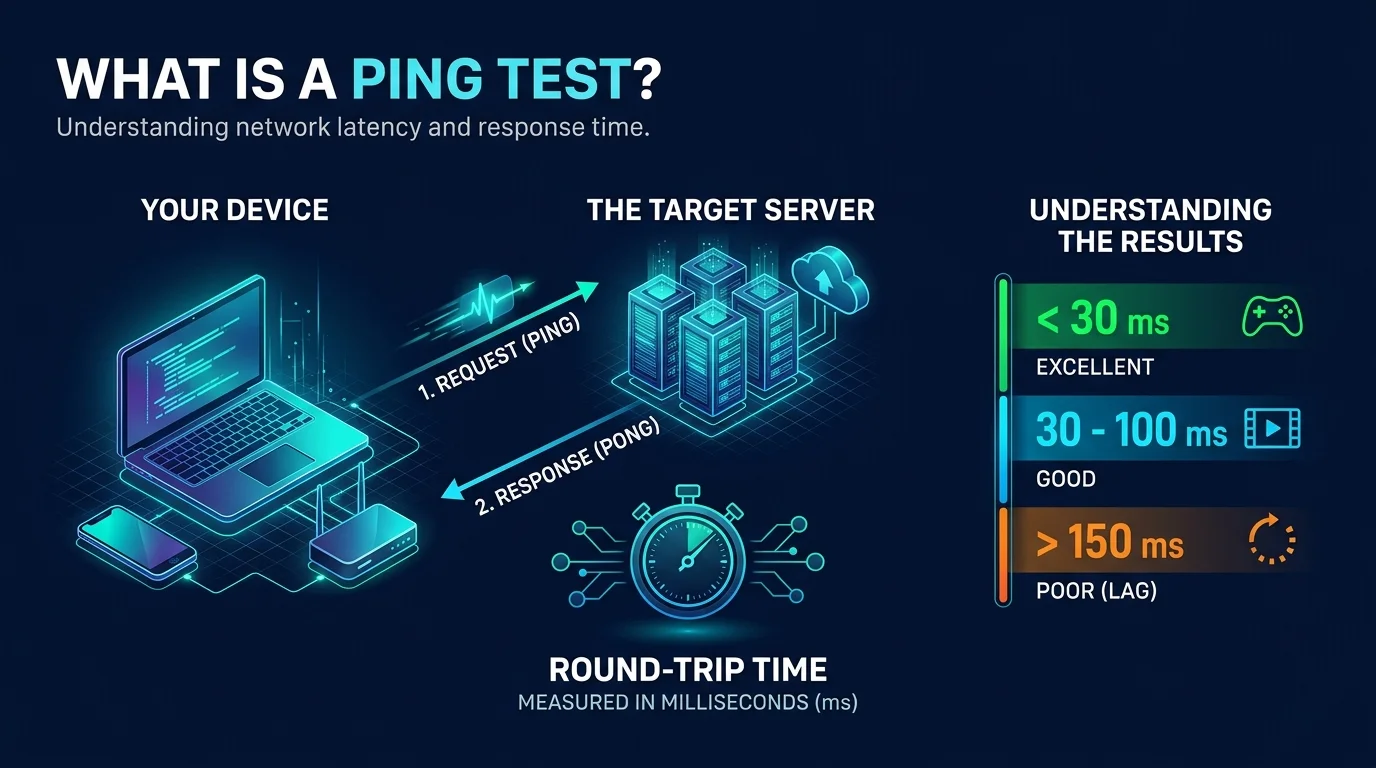
A ping test checks whether a device answers you, and how fast. That's it.
Your computer sends an echo request. The target sends back an echo reply. The time between them is your round trip time (RTT).
Mike Muuss wrote ping in December 1983, in a single evening. He named it after sonar, and he said it was a sonar analogy, not an acronym.
So when somebody says "check your ping," they mean your round trip network latency.
What Is a Good Ping? Latency, Jitter, and Packet Loss
You can't judge a ping test by one number. Three metrics matter, and they work as a team. A low average can hide ugly spikes, so read all three together. Here are the targets I use, drawn from Worldstream's latency guide and WebcamMicTest.
Metric | What it measures | Healthy target |
|---|---|---|
Latency (ping) | Round trip delay | Under 50 ms |
Jitter | Variation in latency | Under 5 ms (15 ms acceptable) |
Packet loss | Packets that never return | 0% |
And here's how latency feels in practice:
Ping | Rating |
|---|---|
Under 20 ms | Excellent |
20 to 50 ms | Very good |
50 to 100 ms | Acceptable |
Over 100 ms | Rough for fast games and calls |
One more fact worth knowing. Even 0.5% packet loss is noticeable in competitive shooters.
How to Run a Ping Test Step by Step
Good news: you already have the tool. Every major operating system ships with a ping command already installed. Pick your system below and follow along. It takes about a minute.
Step 1: Ping Test on Windows
The Microsoft ping documentation covers every switch.
Press the Windows key, type cmd, and hit Enter.
Type
ping google.comand press Enter.Read the four replies and the summary.
Want more packets? Use ping google.com -n 20. Want it nonstop? Add -t and press Ctrl+C to stop.
Step 2: Ping Test on Mac and Linux
Open Terminal and type ping -c 10 google.com. The -c 10 flag sends exactly ten packets. Without it, ping runs until you stop it. The Linux ping man page lists the other options.
Step 3: Use an Online Ping Test (With a Catch)
Online tools like Geekflare's ping test run from their servers, so they measure the path from them to your target, not from you.
Some browser tools only approximate latency with HTTP requests, because browsers can't send true ICMP. For real results, use the command line.
How to Read Your Ping Test Results
You've got a wall of text. Relax. Only a few lines matter.
Look at the min, avg, and max times. If the max is far above the average, you have jitter.
Check the packet loss line. Anything above 0% deserves attention. If ping also reports damaged packets, suspect faulty hardware, and read our guide on what a CRC error is to track it down.
Then glance at TTL (time to live). It shows how many hops remain, and 255 is the maximum.
Finally, test several times at different hours. A single result proves nothing. For reference, a healthy local network should sit under 1 ms.
Request Timed Out vs. Destination Host Unreachable
Sometimes ping fails outright. Annoying? Yes. But the error is a clue. These two messages sound alike and mean very different things, so learn the difference before you start guessing.
Message | What it means | Try this first |
|---|---|---|
Request timed out | No reply came back. The host may be down, busy, or blocking ICMP. | Ping your router, then a site outside your network |
Destination host unreachable | A router reported no route to the host. | Check your gateway and routing |
Here's the troubleshooting order Microsoft's own guidance suggests:
Ping your own computer.
Ping your default gateway (your router).
Ping something beyond it.
Wherever it breaks is where your problem lives.
Ping vs. Traceroute vs. MTR
Ping tells you whether something works. To find out where it fails, you need a path tool.
Tool | Best for | Command |
|---|---|---|
Ping | Quick reachability and latency check |
|
Traceroute | Seeing every hop on the path |
|
MTR | Ping plus traceroute, live, with loss for every hop |
|
Hosting.com's guide explains how MTR combines the two.
How to Fix High Ping Step by Step
So your ping is bad. Don't throw your router out the window yet. Most high ping problems come from a short list of culprits. Work through them in this order, and stop when it's fixed.
Go wired. Wi-Fi typically adds 5 to 30 ms, while Ethernet saves 1 to 10 ms. Can't plug in? Improve your Wi-Fi signal or change your Wi-Fi channel to dodge interference.
Close bandwidth hogs. Cloud backups and streams fill your connection.
Disable your VPN and retest. If ping drops, the VPN was the cause. Still need it? Try VPN split tunneling so only some traffic takes the detour.
Test for bufferbloat. Start a big download, ping at the same time, and compare.
Enable SQM. Turn on Smart Queue Management (fq_codel or CAKE) in your router.
Step 4 is where most people finally find the problem. If ping jumps from 20 ms to 200 ms under load, that's bufferbloat.
Does the fix work? One OpenBSD home network test cut uplink latency under load from 280 ms to 17 ms, and downlink from 660 ms to 24 ms. That's what queue management can do.
Is Ping Safe? ICMP Floods and Ping of Death
Quick safety note, because people ask. Running ping is harmless. Abusing it isn't.
A ping flood overwhelms a target with echo requests. The older ping of death used oversized packets, but it was considered resolved in mainstream systems by the early 2000s.
That's why many firewalls block or rate limit ICMP. So a failed ping doesn't always mean a dead server.
Why You Need a Ping Monitoring Tool
Here's the honest truth. A manual test shows one moment. Your connection doesn't fail on schedule. It fails at 9 p.m. during your match, or ten minutes before a client call.
You can't babysit a terminal all day.
A good ping monitoring tool does the watching for you. Here's my buyer's checklist:
Continuous tests at set intervals
Latency, jitter, and packet loss graphs over time
Instant alerts when thresholds break
Exportable history you can hand to your ISP
Slow connections cost you missed calls, lost games, and wasted hours. A tool that ticks these four boxes pays for itself fast.
Don't wait for the next freeze. Pick a ping test tool with these features and set it up today.
Frequently Asked Questions
What is a ping test?
It's a check that sends an ICMP echo request to a host and measures the reply time, showing reachability and latency.
What is a good ping?
Under 50 ms is good. Under 20 ms is excellent. Over 100 ms feels laggy in real time use.
Why is my ping high but my speed fast?
Speed and latency are separate. High ping with fast speed usually points to bufferbloat, Wi-Fi interference, or a VPN.
Is jitter or packet loss worse than high ping?
Often, yes. A steady 50 ms beats a 20 ms ping that spikes or drops packets.
Why does "request timed out" appear when the site works?
The host may be blocking ICMP while still serving web traffic.
Does ping measure internet speed? No. It measures delay, not bandwidth.
Conclusion
A ping test is the quickest way to see what's really happening on your connection. Run it, read latency, jitter, and packet loss together, and work through the fixes in order.
Then stop guessing. Set up ping monitoring so you know the moment something breaks.