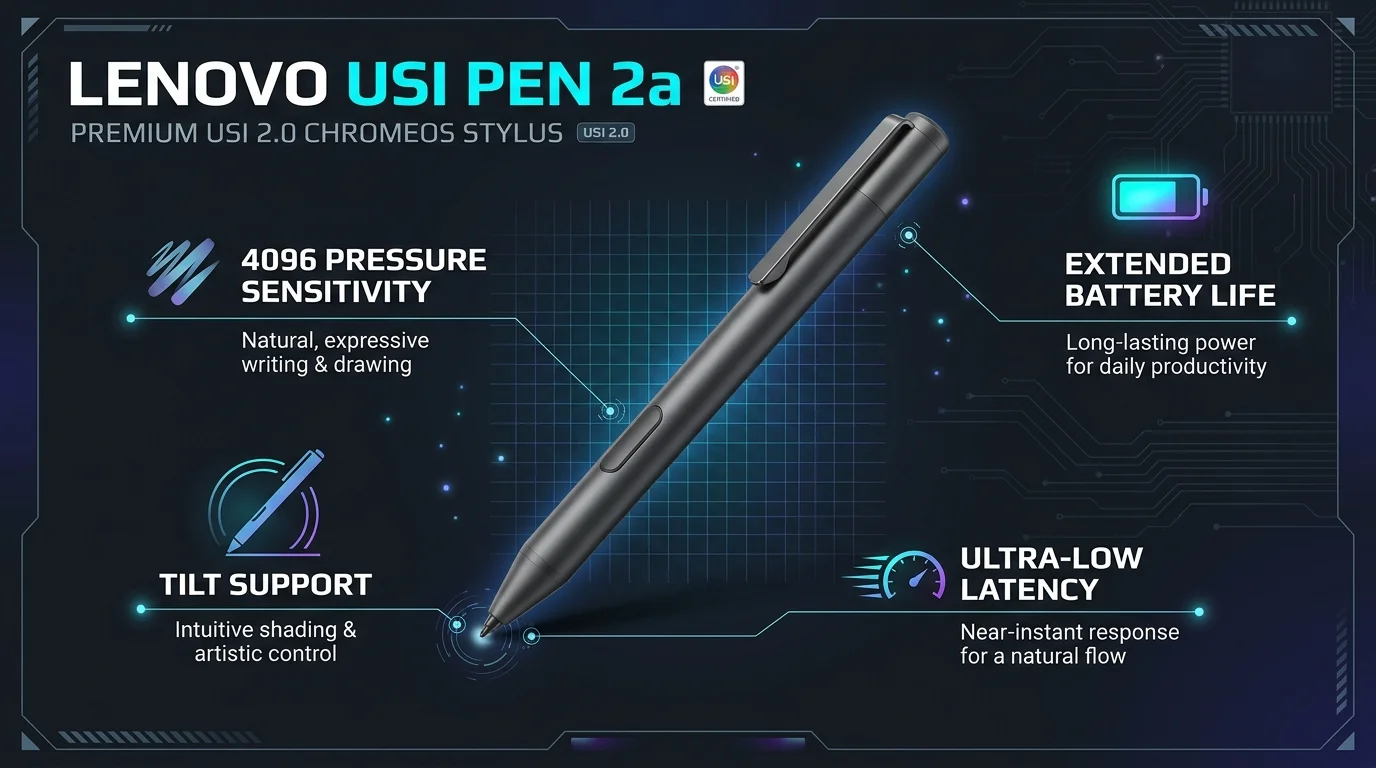
The Lenovo USI Pen 2a isn't a product name I could find. You almost certainly want the Lenovo USI Pen 2 (part number GX81J61977). It's a roughly $41 USI 2.0 stylus with 4096 pressure sensitivity levels, tilt support and one AAAA battery. It suits Chrome OS devices with a USI 2.0 screen. Check your exact model before you buy.
Let me be straight with you.
I searched for "USI Pen 2a" and found no matching product. I did find the pen people mean, and I checked it against Lenovo's own pages, retailer listings and owner reviews. Here's everything you need to decide.
What Is the Lenovo USI Pen 2?
Think of it as a smarter pen for your screen. It talks to your device, so it can report how hard you press and how far you tilt.
The Lenovo USI Pen 2 follows the Universal Stylus Initiative standard. That standard lets one active stylus work across different brands of touchscreen. USI 2.0 arrived in February 2022, and XDA reported that Lenovo was working with Google on a USI 2.0 pen.
So why does the "2" matter? Because newer screens can be fussy about older pens, which I'll cover below.
Lenovo USI Pen 2 Specs at a Glance
Specs bore most people. Still, a quick list helps you compare this pen with others, so I'll keep it tight.
Here are the numbers from Lenovo's support page unless I say otherwise:
Part number: GX81J61977
Pressure levels: up to 4096
Features: tilt, faster pairing, refined grip, Finer Tip design
Diameter: 9.5 mm
Weight: about 16.5 g
Power: one AAAA battery, included
Warranty: one year
Service part number: 5T71H19397
Lenovo doesn't give a battery life figure on that page. One reviewer said the pen goes through batteries if you use it often. Keep a spare.
Lenovo USI Pen 2 vs Magnetic vs Original USI Pen
You've got a few options in Lenovo's range, and the names are confusing. This table sorts them out. I pulled it from Lenovo's US listings, so prices may have moved.
Feature | USI Pen 2 | USI Pen 2 Magnetic | Original USI Pen |
|---|---|---|---|
Part number | GX81J61977 | GX81Q72385 or 4X81Q72383 | 4X80Z49662 |
Lenovo US price | About $41 | About $42 to $50 | About $47 |
Pressure levels | 4096 | 4096, per Best Buy Q&A | 4096 |
Tilt | Yes | Yes | Not listed |
Magnetic attach | No | Yes, on supported models only | No |
Standard | USI 2.0 | USI 2.0 | USI, version not stated |
Sources: Lenovo product pages for GX81J61977, GX81Q72385, 4X81Q72383 and 4X80Z49662.
My take? Buy the magnetic version only if your laptop has the magnetic dock. A retailer listing warns that magnetic attachment works only on specific models.
Which Devices Work With the USI Pen 2?
This is where people get burned, so slow down here.
The pen needs a screen that supports USI 2.0. Newer in cell panels are the pickiest. Android Central reported that the Lenovo Chromebook Duet 3 wouldn't work with older USI pens. Chrome Unboxed quoted the USI chairman explaining why backward compatibility wasn't possible on those screens.
The direction matters, too. A USI 2.0 pen generally works on a USI 1.0 Chromebook, but an older pen can fail on a USI 2.0 screen, according to Starryhope's 2026 guide.
Coming from an iPad? The pairing story is different there, and my guide on how to connect an Apple Pencil to an iPad shows the contrast.
Devices Reported to Work
Retailer lists and owners point to these:
Lenovo Chromebook Duet 3 and Duet 5
IdeaPad Flex 5 Chromebook, including a CDW reviewer's Flex 5i
Google Pixel Tablet, which needs a USI 2.0 stylus. One owner says the Lenovo pen works on it, but that's a single report.
Devices That Don't Work
A Lenovo product expert told a shopper the pen is not compatible with the Yoga 7i. A few buyers also reported that it didn't connect to their Chromebook Plus models.
Check your model number first. It takes two minutes.
How to Set Up Your USI Pen 2 Step by Step
Setup is easy. You won't need drivers.
Follow these steps in order, and you'll dodge the common mistakes. Most people are writing within a minute.
Confirm your device supports USI 2.0. Look up your model number on the manufacturer's spec page or in the manual.
Open the pen. Unscrew the top section.
Insert the AAAA battery. It comes in the box.
Close the pen. Twist it until it's snug.
Touch the screen with the tip. Your device should detect the pen.
Test it. Open a notes or drawing app and try light and hard strokes.
Test tilt. Lean the pen and watch the line change.
If nothing happens, swap in a fresh battery before anything else. Still seeing stray touches while you write? You can turn off the touchscreen on your Chromebook while you test, and the pen will keep working. While you're setting up, my quick guide to copy and paste on a Chromebook will save you more time.
Frequently Asked Questions
Here are the questions I see most. I've kept the answers short.
Is the Lenovo USI Pen 2a a real product?
I found no product with that name. Searchers most likely mean the Lenovo USI Pen 2 (GX81J61977) or the USI Pen 2 Magnetic.
Does the Lenovo USI Pen 2 need charging?
No. It runs on one AAAA battery, which is included.
Will the USI Pen 2 work on the Pixel Tablet?
The Pixel Tablet requires a USI 2.0 stylus, and the Pen 2 uses USI 2.0. One owner confirms it works, but check current reports before buying.
Will a USI 1.0 pen work on a USI 2.0 screen?
Not always. Older pens can fail on USI 2.0 in cell panels.
How much does it cost?
Lenovo's US store listed it around $41 on the date above. Other retailers charge more or less.
What's the warranty?
One year, per Lenovo.
Should You Buy It?
Here's my answer. If your device supports USI 2.0, yes. Buy it.
You get 4096 pressure levels, tilt, an included battery and a real manufacturer warranty for about the price of a pizza night. That beats the mystery pens flooding marketplaces. It handles note taking, sketching and signing documents without smudging your screen.
Just don't skip the compatibility check. It's the one thing that decides whether you love this pen or return it.
If your model is on the list, grab the Lenovo USI Pen 2 here and start writing today.