Quick answer: If you want the most free storage in 2026, TeraBox (1TB) and MEGA (20GB) lead the pack, while Google Drive (15GB) and OneDrive (5GB) win on ecosystem integration, and Proton Drive (5GB) wins on privacy. The right pick depends less on the headline number and more on what you're actually storing — this guide breaks down every option so you can choose in minutes, not hours.
Let me be honest with you: I spent way too many hours this year signing up for free cloud storage accounts, filling them with junk files, and timing upload speeds like some kind of digital masochist.
But here's the thing — I did it so you don't have to.
If you're searching for the best free cloud storage option in 2026, you've probably already noticed the problem. Every "best of" list says something different. One site says Google Drive is king. Another swears by MEGA. A third tells you TeraBox gives you a full terabyte for nothing (spoiler: there's a catch).
So in this guide, I'm going to walk you through exactly what each cloud storage free plan actually gives you, what the fine print doesn't tell you, and how to pick the right one for your specific situation — whether that's backing up family photos, syncing work docs, or keeping sensitive files locked down with real encrypted cloud storage.
By the end, you'll have a step-by-step framework for choosing (and you'll know which providers to avoid). If you haven't already, it's also worth reading our guide to securing your cloud files once you've picked a provider — free storage is only half the equation.
Let's dive in.
Key Takeaways
TeraBox offers the most free storage (1TB) but throttles speed and caps files at 4GB
MEGA's real permanent free tier is 20GB — not the 50GB shown in promo banners
Google Drive's 15GB is shared across Drive, Gmail, and Photos
Proton Drive and Internxt trade smaller free tiers for zero-knowledge encryption
Dropbox's 2GB free tier hasn't changed in years
Figures below verified against provider pricing pages as of August 2026
What Is Free Cloud Storage, Really?
Okay, quick level-set before we get into the comparisons.
Free cloud storage is exactly what it sounds like — a slice of cloud storage capacity that a provider gives you at no cost, hosted on their servers, accessible from any device with an internet connection.
Sounds simple, right?
It kind of is. But "free" is doing a lot of heavy lifting in that sentence.
Some providers cap your storage limit at a laughably small number (looking at you, Dropbox). Others dangle a huge number like 1TB, then quietly throttle your upload speed or slap a bandwidth cap on you once you actually try to use it.
And a few — like Proton Drive — keep the free tier modest but load it with serious data privacy features like end-to-end encryption.
None of these approaches is "wrong." They're just built for different people. Which is exactly why a side-by-side comparison matters more than a single "winner."
Free Cloud Storage Comparison Table (2026)'
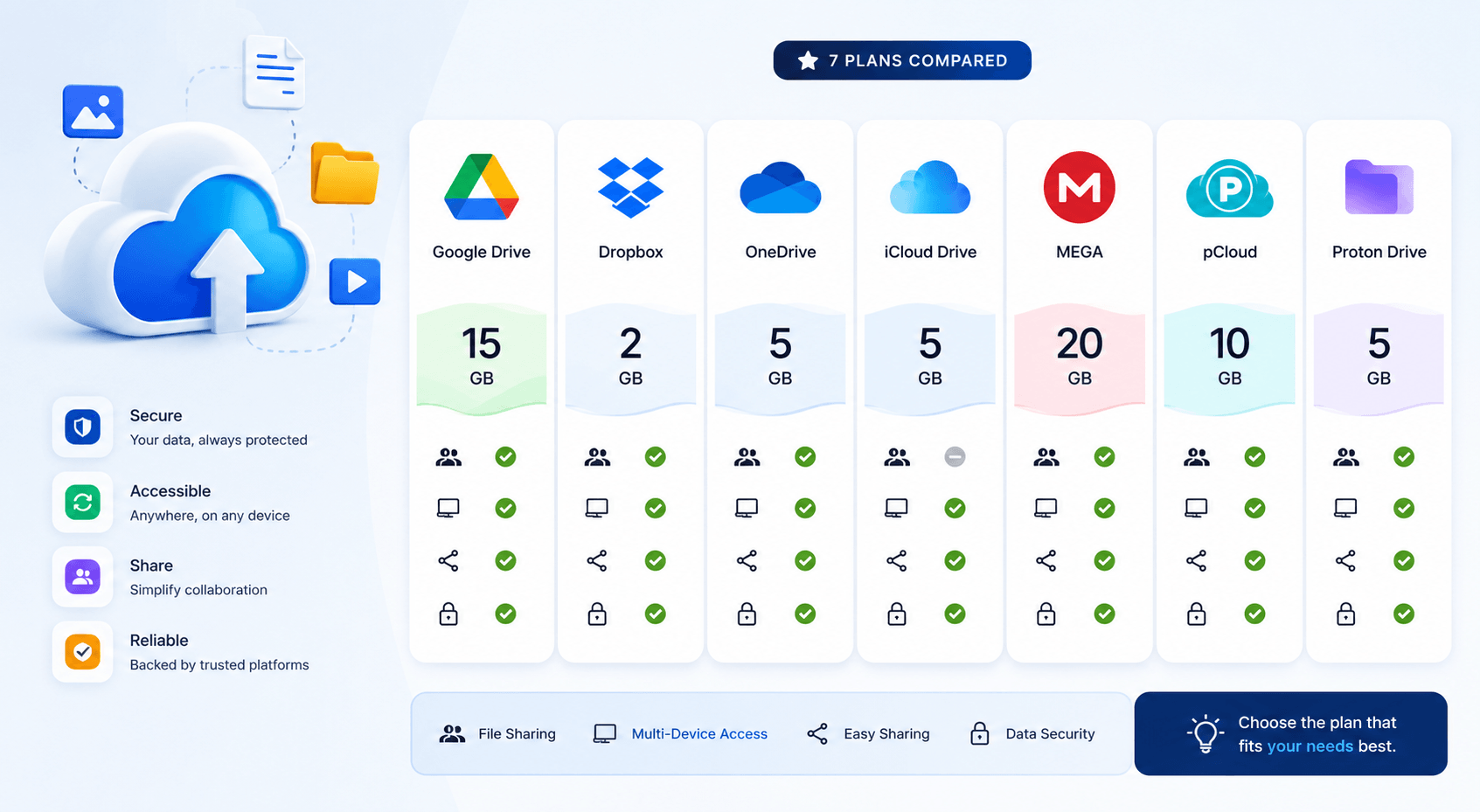
Here's the fastest way to compare all seven providers at a glance. I verified these numbers against each provider's official pricing page as of August 2026 — but free tiers shift often, so it's worth a quick double-check before you commit. If you also want to see how these free tiers stack up against paid plans, our cloud storage services comparison covers that in more depth.
Provider | Free Storage | Key Limit | Best For |
|---|---|---|---|
TeraBox | 1,024 GB | 4GB per-file limit, ads, slow speeds | Raw capacity |
MEGA | ~20 GB (permanent) | 50GB banner is a 30-day promo | Dedicated file storage |
Google Drive | 15 GB | Shared with Gmail + Photos | Collaboration |
pCloud | ~10 GB | Fewer advanced features free | Secondary backup |
Box | ~10 GB | Limited sharing controls | Secondary backup |
Icedrive | ~10 GB | Encryption is paywalled | Clean UI fans |
Proton Drive | 5 GB | Small, but zero-knowledge encrypted | Privacy |
OneDrive | 5 GB | Best value bundled w/ Microsoft 365 | Windows users |
Dropbox | 2 GB | Unchanged for years | Sync reliability |
Quick Takeaway
If storage capacity is your #1 priority, TeraBox or MEGA win on paper — and if a number like "1,024GB" doesn't mean much to you at a glance, here's a quick breakdown of how many GB are in a TB. If you want an ecosystem that just works, Google Drive or OneDrive are your friends. If privacy is non-negotiable for you, Proton Drive or Internxt deserve a serious look.
How I'd Choose (Step-by-Step)
I know comparison tables are helpful, but they don't actually tell you which one you should pick. So let's fix that.
Here's the exact process I'd walk through if a friend asked me "which free cloud storage should I use?"
Step 1: Define Your Primary Use Case
Are you backing up photos? Syncing work documents across devices? Archiving old files you'll rarely touch?
Your answer changes everything. A photo-heavy user probably wants Google Photos integration. A privacy-conscious freelancer probably wants end-to-end encryption more than extra gigabytes.
Step 2: Check the Real (Not Marketing) Storage Number
Don't take the homepage headline at face value.
Look specifically for the word "permanent" or "base" storage — not promotional bonuses. MEGA's 50GB banner is the classic example of a number that quietly shrinks after 30 days.
Step 3: Test the Upload/File Size Limits
This one trips people up constantly.
If you're storing large video files, a provider with a 4GB per-file upload limit (like TeraBox) is going to be a headache. Check the fine print before you commit hours to uploading.
Step 4: Evaluate the Privacy and Security Setup
Ask yourself: does this provider offer two-factor authentication? Is my data encrypted in transit and at rest? Is it zero-knowledge, meaning even the company can't peek at my files?
For sensitive documents — tax records, contracts, client files — I'd personally lean toward Proton Drive or Internxt over a mainstream option. Our guide to securing sensitive files in the cloud goes deeper on this if it's a priority for you.
Step 5: Consider the Upgrade Path
Even if you're starting free, it's smart to glance at the paid tiers. Some providers (like Sync.com) offer excellent value if you eventually outgrow the free plan. Others make upgrading feel like a trap.
Hidden Catches Nobody Talks About
Here's where I want to slow down, because this is the part most "best of" roundups skip entirely.
Free doesn't mean free of friction.
Account Decay
Several providers quietly delete inactive free accounts after a set period. If you're using a free plan as long-term archival storage, this is a real risk — check the inactivity policy before you rely on it.
Bandwidth Throttling
Generous storage numbers (TeraBox, I'm looking at you) often come with reduced transfer speeds once you actually try to move large amounts of data.
Advertising
Some "free" plans monetize you through in-app ads rather than a subscription fee. Worth knowing upfront.
Feature Gating
Version history, advanced sharing controls, and team collaboration tools are almost always locked behind a paywall, even if the storage itself is free.
None of this means free cloud storage is a scam. It just means you should read past the headline number.
Hosted vs. Self-Hosted Storage (A Quick Detour)
I also want to briefly mention something most comparison articles completely ignore: self-hosted storage.
A free cloud storage account is hosted — meaning a company manages the servers, redundancy, and infrastructure for you. Tools like Nextcloud, MinIO, and Ceph flip that model. You run the software yourself, on your own hardware.
This gives you way more control and, frankly, more privacy. But it also means you're responsible for backups, security patches, and uptime.
If that sounds appealing, it's worth its own deep dive — but for most readers, a hosted free plan is the simpler starting point.
My Honest Recommendation
If you've read this far, you probably want a straight answer instead of "it depends." Fair enough.
Here's how I'd break it down by scenario:
Best for photo backup: Google Drive (thanks to Google Photos integration)
Best for raw capacity: MEGA (real 20GB, not a fake promo number)
Best for privacy: Proton Drive or Internxt
Best for Windows users: OneDrive
Best for reliable syncing: Dropbox — if you can live with 2GB
Best for sheer size (with caveats): TeraBox
Personally? I run a hybrid setup. Google Drive for collaboration, Proton Drive for sensitive files, and MEGA as a dedicated backup for the stuff I never want to lose. Giving every account one job — rather than mixing everything into one bucket — has saved me more headaches than I can count.
Frequently Asked Questions
Is free cloud storage safe?
Generally yes, but safety depends on the provider. Mainstream options like Google Drive and OneDrive encrypt your data in transit and at rest, but they can technically access your files. For sensitive documents, choose a provider with zero-knowledge encryption, like Proton Drive or Internxt.
How much free storage does Google Drive give in 2026?
Up to 15GB, shared across Google Drive, Gmail, and Google Photos. A full inbox or large photo library can eat into that allowance faster than you'd expect.
Is MEGA's 50GB free storage permanent?
No. MEGA's advertised 50GB is typically a 30-day promotional bonus. The permanent, ongoing free tier is closer to 20GB.
What's the best free cloud storage for photos?
Google Drive, mainly because of its tight integration with Google Photos — though that shared-storage model is also its biggest downside if your photo library is large.
Can I use multiple free cloud storage accounts together?
Yes, and I'd actually recommend it. Using separate accounts for separate purposes (e.g., MEGA for backups, Google Drive for collaboration) avoids the account-decay and mixed-priority risks that come with dumping everything into one free plan.
Final Thoughts
Choosing a free cloud storage plan doesn't have to be complicated, but it does require you to look past the marketing headline and into the actual terms.
Ask yourself what you're storing, how sensitive it is, and whether you're likely to outgrow the free tier within a year. That single question will eliminate half the options on this list immediately.
And hey — there's nothing stopping you from running two or three free accounts side by side. In fact, I'd recommend it.
Just don't forget which files live where. Trust me on that one.