To end an email professionally, close with a specific action-oriented line, follow it with a sign-off that matches your relationship with the reader, and finish with a short, mobile-friendly signature. That's it — three parts, done in the right order, and your email ending takes care of itself.
Now let's slow down and actually walk through it, because getting each piece right is where most people trip up.
You've just spent ten minutes writing the perfect email. The subject line is sharp, the opening line hooks the reader, and the body says exactly what you need it to say.
Then you freeze.
How do you actually end it?
Do you go with "Best"? "Sincerely"? Or just... trail off and hope your name at the bottom does the talking?
Here's the truth: your email sign-off isn't just a formality. It's the last thing your reader sees before they decide whether to reply, ignore you, or forward your message to someone else. And because of something called the recency effect — the psychological tendency to remember the last thing you read more vividly than the middle — your closing line carries more weight than you'd think.
So let's fix that. This guide walks you through exactly how to close out any email, whether it's a formal pitch to a CEO or a quick note to a coworker you've known for five years.
What Is an Email Sign-Off (And Why It's Not the Same as a Closing Line)
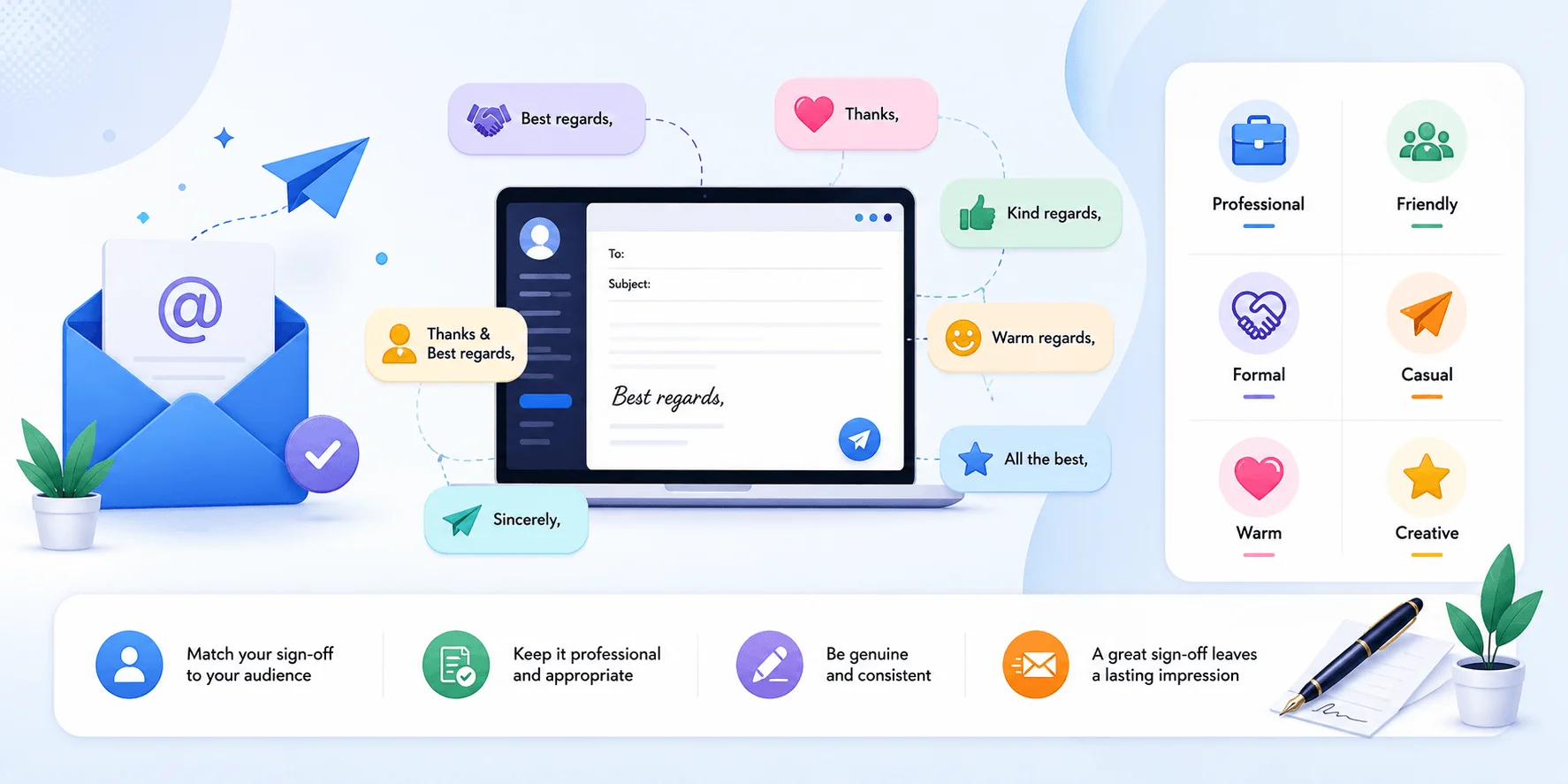
An email sign-off is the short phrase — usually two or three words — that sits right before your name. Think "Best regards," "Sincerely," or "Thanks." It's only one piece of a larger structure, though — much like your email alias shapes how professional your address looks, your sign-off shapes how professional your message feels.
According to Grammarly's guide on ending emails, the sign-off pairs with a closing line and a signature to form the complete ending. Here's how the three pieces fit together:
Closing line — your final sentence, the one that wraps up the point of the email
Sign-off phrase — the short farewell word or words ("Best," "Regards," "Thank you")
Email signature — your name, title, and contact info
You need all three to land a truly professional ending. Skip one, and the email can feel abrupt or unfinished.
Why This Small Detail Actually Matters
Closing an email with some form of "thank you" increases response rates by roughly 63% to 65% compared to signing off with "Best" alone. That's a meaningful gap for something most of us barely think about — and it's the reason this guide exists.
This stat comes from research cited by MyEmailVerifier, and it's not an isolated finding. A properly structured closing line with a call to action moves the needle even further. Boomerang's research, cited across multiple email marketing sources, found that emails ending with a specific CTA received about 36% more responses than ones with vague or missing closings.
So no, this isn't just etiquette theater. It's a lever you can actually pull, and the data backs it up.
Step 1: Match Your Sign-Off to the Relationship
Your sign-off should flex depending on who's on the other end and what you're asking of them — not stay fixed on "Best" for every single email you send. Think of it less like a rule and more like a dial you adjust based on context.
The table below breaks this down at a glance:
Sign-Off | Formality Level | Best Used For | Avoid When |
|---|---|---|---|
Sincerely | Formal | Cover letters, legal correspondence, first contact | Ongoing casual threads |
Best regards | Formal | Client emails, senior leadership | Internal team chats |
Kind regards | Formal | Academic contacts, cross-cultural communication | Fast-moving sales threads |
Respectfully | Formal | Academic emails, formal disputes | Everyday coworker messages |
Best | Semi-formal | Default for most business emails | High-stakes formal pitches |
Thanks | Semi-formal | Emails involving a request or favor | Cold outreach with no ask yet |
Warm regards | Semi-formal | Networking, client relationship-building | Legal or academic contexts |
Cheers | Casual | Internal teams, close colleagues | Clients, executives, first-time contacts |
Talk soon | Casual | Teammates, informal follow-ups | Formal business proposals |
Formal Situations
If you're emailing someone senior, someone you've never met, or anyone in a legal or academic setting, lean formal. Spark Mail's guide to professional closings recommends sticking with Sincerely, Best regards, Kind regards, or Respectfully. These are safe — nobody's ever been penalized for sounding too respectful.
Semi-Formal / Everyday Business
For coworkers, regular clients, or ongoing professional threads, you can loosen up a little with Best, Thanks, Warm regards, or All the best. The Muse's rundown of sign-offs points out that "Best" has basically become the default neutral option — it works almost everywhere without raising eyebrows.
Casual / Internal Team Emails
When you're messaging teammates you talk to daily, formality can work against you by creating unnecessary distance. Here, Cheers, Talk soon, or Take care read as natural rather than stiff. Just don't use these with your VP unless your workplace culture genuinely supports it.
Step 2: Write a Closing Line That Actually Does Something
Your closing line should express appreciation or point toward a specific next step — never both trail off into nothing. Skipping straight from the body of your email to "Best" with zero transition feels jarring, and it wastes your last shot at getting a response.
Here's the difference in practice:
Weak: "Let me know if you have any questions."
Strong: "Would Thursday at 2pm work for a quick 15-minute call?"
The first one puts all the effort on your reader — they have to think of a question, then type it out. The second one just needs a yes or no. According to Tomba's breakdown of high-performing closings, specific, low-friction CTAs consistently outperform vague ones because they make replying cheaper — mentally and practically — than ignoring the email.
A Simple Framework for Your Closing Line
If you're stuck, use this formula: [Appreciation or context] + [specific next step]
A few examples depending on your search intent for the email:
Following up after a meeting: "Thanks again for your time today — I'll send over the proposal by Friday."
Requesting feedback: "Would love your thoughts on the attached draft whenever you get a chance this week."
Cold outreach: "Worth a quick 10-minute chat about streamlining your onboarding process?"
Job application: "I'd welcome the opportunity to discuss how my experience fits this role."
Each one is specific. No "let me know" vagueness. No hoping the reader fills in the blank.
Step 3: Choose the Right Sign-Off for the Occasion
Different email types call for different sign-offs, and matching them correctly signals that you understand the context you're writing in. Let's break it down by scenario.
How to End a Job Application Email
Hiring managers read hundreds of these, so don't get cute. Forage's guide for professional emails recommends sticking with tried-and-true options like Sincerely, Best regards, or Respectfully. Pair it with a closing line that reiterates interest — something like "I look forward to discussing this opportunity further."
How to End a Networking Email
Networking emails live in a middle ground: you want warmth without sounding overly familiar to someone you just met. Try Best, Warm regards, or Looking forward to connecting.
How to End a Sales or Cold Outreach Email
Here, the CTA does most of the heavy lifting, and the sign-off should stay out of the way. Instantly's guide to cold email closings suggests keeping it simple — Best or Thanks — so the reader's attention stays on your ask, not your farewell.
How to End an Academic Email
If you're emailing a professor or academic contact, formality is non-negotiable. Spark Mail's guide is blunt about this: never use casual sign-offs like "Thanks!" or "Best" here. Stick with Sincerely, Respectfully, or Best regards.
Sign-Offs to Avoid (Seriously, Cut These)
A handful of common sign-offs quietly undercut your professionalism, even though they feel harmless on the surface. According to Grammarly's list of sign-offs to skip, you'll want to steer clear of these:
"Hope that makes sense" — implies the reader failed to understand, not that your writing was unclear
"Have a blessed day" — can carry religious overtones that feel out of place professionally
"Good luck" — subtly signals the task ahead is harder than intended
"Have a good one" — reads too casual, better suited for in-person chats
"Thanks in advance" — can feel presumptuous, as if you're assuming a "yes" before they've agreed
None of these will ruin a relationship on their own. But small missteps add up, especially in first-time or external emails where you don't have existing rapport to fall back on.
Building Your Email Signature (The Final Piece)
Your email signature should stay short: full name, job title, company name, and one point of contact — nothing more. This is where a lot of people either go overboard or leave it embarrassingly bare.
A clean, effective signature generally includes:
Your full name
Job title
Company name
One point of contact (phone or LinkedIn — pick the most relevant one)
Keep it tight. Superhuman's guide to modern sign-offs recommends limiting signatures to 4-6 lines max, largely because so many people now check email on mobile devices where longer signatures get cut off or look cluttered. And if you're managing replies across multiple threads, knowing how to forward emails properly in Gmail matters just as much as how you sign off — a forwarded message with a sloppy sign-off undercuts the handoff.
Should You Add a Call-to-Action to Your Signature?
If you're in sales, marketing, or client-facing work, yes — a subtle CTA in your signature (like a link to your latest case study or a "Book time with me" link) can genuinely help. Scribe's research on email closing best practices notes that just over half of professionals already include some form of CTA in their signature.
But don't overload it. One clear CTA beats three competing ones every time. If everything in your signature is "important," nothing actually is.
A Quick Pre-Send Checklist
Before you hit send, run your email ending through this checklist:
[ ] Does my closing line point to a clear next step (not a vague "let me know")?
[ ] Does my sign-off match the formality of the relationship?
[ ] Have I avoided passive-aggressive or overly casual phrases?
[ ] Is my signature under 6 lines and mobile-friendly?
[ ] Did I proofread for spelling and capitalization (only the first word of a sign-off gets capitalized — "Kind regards," not "Kind Regards")?
If you can check all five boxes, you're in good shape.
Putting It All Together: A Few Full Examples
Let's stitch the pieces together so you can see the full structure in action.
Formal client email:
Thank you for your time today — I'll have the revised contract to you by end of day Wednesday.
Best regards, [Your Name]
Networking follow-up:
Really enjoyed our conversation at the conference — would love to grab a coffee sometime next month if you're around.
Warm regards, [Your Name]
Cold sales outreach:
Worth a 15-minute call this week to walk through how this could fit your team?
Best, [Your Name]
Internal team message:
Let's sync tomorrow morning to finalize the launch checklist.
Thanks, [Your Name]
Each of these follows the same skeleton — closing line, sign-off, signature — but the tone shifts based on who's reading it.
Frequently Asked Questions
What is the best email sign-off for a cold email?
Stick with "Best" or "Thanks." Save your personality for the closing line above it — a specific, low-friction call to action does more for your response rate than a creative sign-off ever will.
Is "Best" too casual for a formal email?
No. "Best" and "Best regards" both function as neutral, professional defaults that work across almost every business context, including client and executive emails.
Should I ever end an email without a sign-off?
It's acceptable in fast-moving, ongoing threads or quick replies where formality has already been established. For first-time or external emails, though, skipping the sign-off can make your message feel unfinished.
What's the best closing line for emailing a CEO or senior executive?
Keep it concise and value-driven. Something like "Worth a 10-minute conversation about [specific outcome]?" respects their time far better than a lengthy explanation.
Does "Thanks in advance" hurt my email?
It can. Thanking someone before they've agreed to help can come across as presumptuous. Swap it for a straightforward "Thank you for considering this" instead.
How many lines should my email signature be?
Aim for 4 to 6 lines maximum. Anything longer risks looking cluttered, especially since most people now read email on mobile devices.
Final Thoughts
Ending an email well isn't about memorizing a list of fancy phrases. It's about matching your tone to the relationship, giving your reader a clear and easy next step, and getting out of your own way with a clean, appropriately formal sign-off.
Get those three things right, and your email etiquette takes care of itself. The rest — the "Best" versus "Sincerely" debate — matters a lot less once your closing line is actually doing its job.
Next time you're staring at that blinking cursor after your last sentence, run through the steps above. It'll take you fifteen extra seconds, and it might just be the difference between a reply and radio silence.