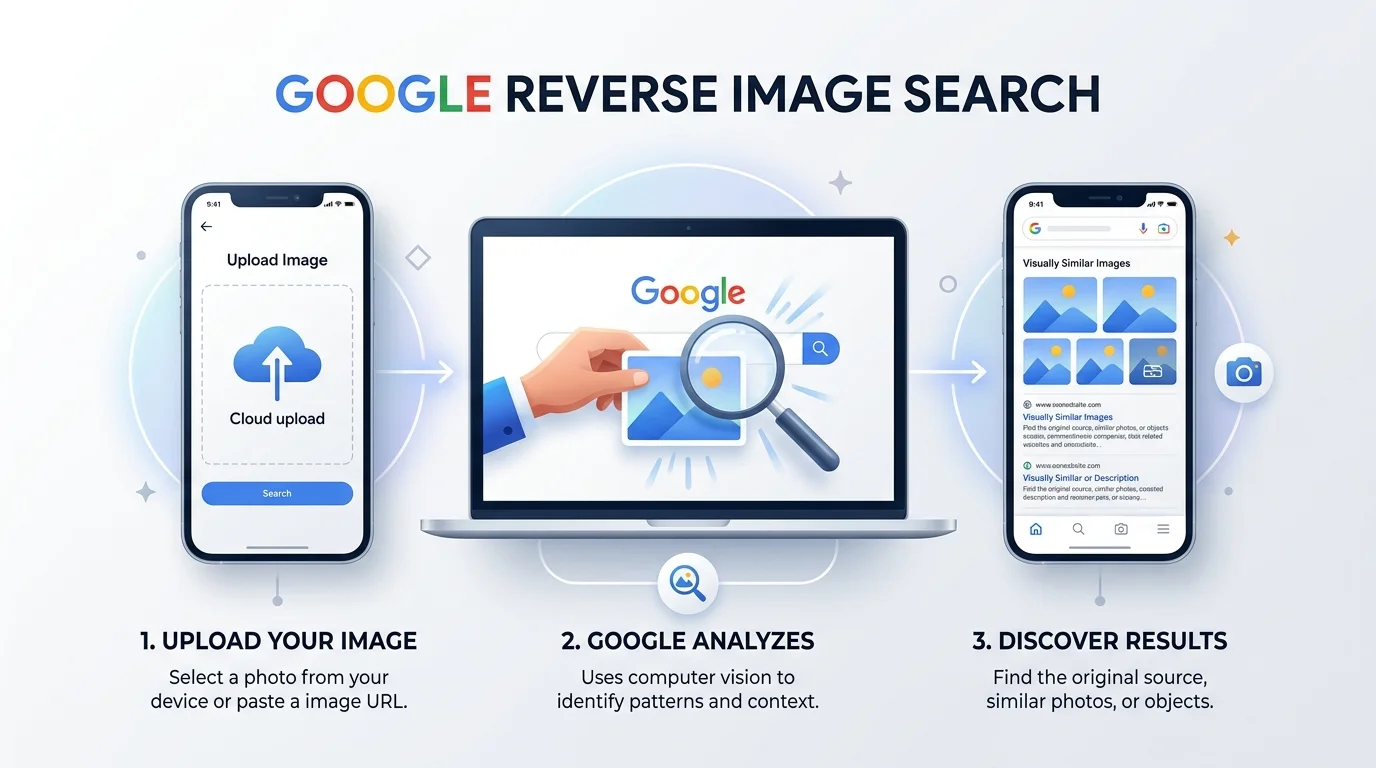
Google reverse image search lets you search the web using a picture instead of text — you upload a photo or paste its URL, and Google's computer vision analyzes the image's color, shape, and pattern to find matching or visually similar results. It's free, works on desktop and mobile via Google Lens, and handles over 12 billion searches every month.
Have you ever stared at a photo online and thought, "Where on earth did this come from?" Yeah, I've been there too. And honestly? That's exactly why Google reverse image search exists — to turn that nagging curiosity into an actual answer in seconds.
I'm going to walk you through everything: how it works, how to use it like a pro, how it stacks up against other tools, and why it's become one of the most underrated features on the internet. Let's dig in.
Key Takeaways
Reverse image search uses computer vision, not keywords, to find matches
Available on desktop, Android, iPhone, and through Google Lens
Great for fact-checking, catfish detection, copyright protection, and shopping
Free to use — no subscription required
Works best on publicly indexed images; social media photos are hit-or-miss
What Is Google Reverse Image Search, Really?
Okay, quick reality check before we go further. Most people think search engines only work with text. Type a query, get results — simple, right? But reverse image search flips that whole idea on its head.
Instead of typing keywords, you upload an image or paste its URL, and Google finds where that image appears online, identifies visually similar images, and tells you what's actually in the picture. No typing. No guessing. Just visual detective work, done by algorithms that are honestly kind of magical.
Here's the fun part: Google doesn't just "look" at your photo the way you or I would. It breaks the image down using computer vision — analyzing color, shape, size, and pattern — and matches those features against billions of indexed images. That's the secret sauce behind image recognition.
How Do You Use Google Reverse Image Search? (Step-by-Step)
I know, I know — you just want to search the dang picture. So let's make this stupidly simple.
On Desktop
Head to the Google search homepage
Click the little camera icon sitting in the search bar
Upload your image or paste the image URL
Hit search — and boom, you've got results
Pro tip: if you're using Chrome, you can skip all of that. Just right-click any image on a webpage and select "Search image with Google." That's it. No tabs, no uploading — just instant visual search.
On Mobile
This is where things get really slick. Whether you're on Android or iPhone, you've got a few solid options:
The Google app
Google Lens (built right into your camera)
Google Photos
Circle to Search — tap and hold your home button, then literally circle the object you want to search
Seriously, that last one feels like something out of a sci-fi movie. You just draw a circle around a shoe in a random Instagram post, and Google tells you where to buy it. Wild.
And get this — as of Google I/O 2024, Google Lens was already handling over 12 billion image searches every single month. Heading into 2026, that number has only kept climbing as visual search becomes a default habit rather than a niche trick — which tells you this isn't some obscure feature anymore. It's mainstream behavior.
Why Should You Actually Care About This Tool?
Here's where I stop explaining and start convincing you.
Because honestly? If you're not using reverse image search yet, you're leaving a genuinely powerful (and completely free) tool sitting on the table. Let me show you exactly why it deserves a spot in your everyday toolkit — right alongside your go-to fact-checking habits and everyday research routine.
1. Find the Original Source of Any Image
You know that feeling when you see a stunning photo and want to know who took it? Reverse image search helps you trace an image back to its original creator, website, or photographer. This is a lifesaver for bloggers, students, and researchers who need proper image attribution.
2. Protect Your Own Work From Theft
If you're a photographer or content creator, this one's for you. Many photographers use reverse image search to discover whether their copyright has been violated — meaning someone published their image without permission. You can literally hunt down thieves in minutes instead of hoping you stumble across them by accident.
3. Fight Misinformation and Deepfakes
This one matters more than ever. With AI-generated images flooding the internet, reverse image search helps you verify whether a photo has been manipulated, taken out of context, or repurposed for false claims. Journalists rely on this daily — and honestly, so should the rest of us. If you're curious how AI image generation tools actually create these images in the first place, it's worth reading our Gemini AI photo prompt guide to understand what you're up against.
4. Avoid Catfishing and Dating Scams
Let's be real for a second. Online dating can be sketchy. Romance scams and catfishing accounts almost always use stolen photos — pulled from someone else's social media or stock photo sites. Before you fall for a fake profile, run the photo through a search. It takes thirty seconds and could save you serious heartache (or money).
I've personally tested this trick on a "too good to be true" marketplace listing photo once — turned out the image was lifted straight from a stock photo site. Thirty seconds, mystery solved. If the suspicious photo happens to be lifted from someone's Instagram, our guide on using an Instagram profile picture viewer can help you check the original account before you draw any conclusions.
5. Shop Smarter
Spotted a pair of shoes in a photo and want to know where to buy them? Reverse image search doubles as a product discovery tool, letting you find stores selling the exact item — or something close to it — just from a picture.
Google vs. TinEye vs. Yandex vs. Bing: Which Should You Use?
While Google is the heavyweight champ here, it's not the only player in the game. If you want maximum coverage, it genuinely pays to stack it with a couple of alternatives — because each engine indexes a different slice of the internet.
Tool | Best For | Cost | Face Search | Mobile App |
|---|---|---|---|---|
Google Lens | Everyday searches, shopping, general matches | Free | Limited | Yes |
Exact-match tracking, copyright checks | Free (paid tiers for bulk) | No | No | |
Yandex Images | Facial matches, harder-to-find images | Free | Strong | Limited |
Bing Visual Search | Alternative indexing, product search | Free | Limited | Yes |
My honest take: start with Google Lens for 90% of everyday searches. If it comes up empty — especially on a face — Yandex is usually your next best move.
A Few Honest Limitations (Because I Won't Sugarcoat It)
Look, I'm not going to pretend this tool is flawless. Reverse image search works best with images hosted on publicly accessible websites — memes and social posts often slip through the cracks because they're not fully indexed.
Also worth knowing: platforms like Facebook, X, Pinterest, and Reddit sometimes use image URLs that Google simply can't resolve back to the original source. So if your search comes up empty, don't panic — try screenshotting the image first, then searching that instead.
Frequently Asked Questions
Is Google reverse image search free?
Yes, completely. There's no subscription, sign-up, or search limit — Google Lens and Google Images are both free to use on desktop and mobile.
Can I reverse image search a video?
Not directly. You'll need to pause the video and take a screenshot of the frame you want to search, then run that image through Google Images or Lens.
Does reverse image search work on Instagram or Facebook photos?
Sometimes. These platforms often generate image URLs that Google can't resolve back to the source, so results can be inconsistent. Screenshotting the photo first usually gets better results.
Can I use reverse image search to find someone's identity?
It can help — especially for spotting stolen or reused profile photos tied to catfishing — but it won't reliably identify a private individual by face alone. Treat it as a first sanity check, not a full background check.
Is Google Lens the same as Google reverse image search?
Not exactly. Google Lens is the broader visual search tool (it can translate text, identify objects, and more), while reverse image search specifically refers to finding where an image appears online. Lens includes reverse image search as one of its features.
So... Should You Actually Use It?
Short answer? Absolutely, yes.
Whether you're trying to verify a photo, protect your creative work, avoid a scam, or just satisfy your curiosity about a random image you found online — Google reverse image search genuinely delivers. It's free, it's fast, and honestly, once you start using it, you'll wonder how you ever lived without it.
So go ahead. Open that camera icon. Upload a photo. And let Google do what it does best — find answers, fast.